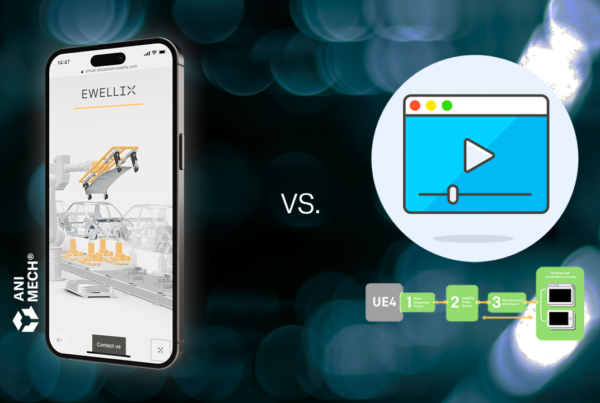
Real-time 3D rendering means a computer draws the image fast enough to respond to what you do. Turn the product, change a colour or take a part away, and the picture updates immediately. It is the same principle as in video games, and it is now used to sell and service products.
Real-time 3D in short
- What it is: images drawn while you interact, many times per second.
- What it needs: a 3D model, materials, light and a graphics processor.
- Where it runs: in the browser, with WebGL as the standard in production today.
- Good for: configurators, e-commerce, showrooms, spare parts and training.
- The trade-off: interactivity in exchange for some of the control of a pre-rendered image.

How does real-time 3D work?
A 3D model is built from triangles. A box needs twelve. A sofa with soft, rounded edges needs far more. On top of the shape come materials and light, which decide how the surface looks and how it reflects its surroundings.
The graphics processor then draws the scene many times per second, so camera movements and changes feel smooth. The more complex the model, the more work per image, which is why models for real-time use are optimized before they are published.
Real-time, still image or film?
- Still image: rendered once, fixed, high control.
- Film: rendered frame by frame, fixed sequence.
- Real-time: drawn on demand, can be changed and explored by the viewer.
For the full picture, read what is 3D rendering.
Where is real-time 3D used?
- Configurators and CPQ: the buyer changes options and sees the result at once. Aniconfigurator and Visual CPQ.
- E-commerce: shoppers design the product and send it to the cart. E-commerce with Aniconfigurator.
- Showrooms and experiences: a whole range can be explored without being in stock, as in the Volkswagen case.
- Aftermarket: spare parts, service instructions and training from the same model. Anipart.
- AR: a configured product shown in the customer’s own space. Augmented reality.
Which technology should you use?
Game engines such as Unreal Engine give the highest visual fidelity but are heavy to deliver to every user. For the web, WebGL is the standard today, and engines such as PlayCanvas build on it, so a product can run on phones, tablets and computers without plug-ins. The quality is a little more modest than on a workstation, and the reach is much wider. Unreal4Web converts Unreal Engine content to glTF for the browser.
WebGPU is the next web standard for graphics, and WebGPU explained covers what it adds. For the choice between rendering on the user’s device and on a server, read streamed 3D vs WebGL.
What to consider before you start
- The quality of your product data. CAD and 3D files are the raw material.
- Which devices your users have.
- How much detail the decision really needs.
- What the user should be able to do: look, configure, order or service.
- Who will maintain the model when the product changes.
Frequently asked questions
What is real-time 3D rendering?
Rendering where the computer draws the image fast enough to respond to what the user does, typically many times per second, so a product can be turned, changed or taken apart instantly.
Is real-time 3D as good as a pre-rendered image?
For most products it comes close enough to support a purchase decision, and the gap narrows as hardware improves. Pre-rendered stills and film still give the most control over every frame.
Does real-time 3D run in a browser?
Yes. WebGL is the standard in production today, so it runs on phones, tablets and computers without plug-ins.
What do I need to get started?
A 3D model, often prepared from CAD, a clear idea of what the user should be able to do, and a list of target devices. See how to buy.
About the author. Staffan Hagberg is CMO and Head of Sales at Animech. He has sold real-time 3D and configurator solutions to industrial and consumer brands for about 14 years. About Animech.