Mass customization means selling products that are configured to each customer’s needs, without turning every order into a new engineering project. It sounds simple. In practice the hard part is the order process: how do you let customers choose freely and still never promise something you cannot build or deliver?
A 3D configurator is one of the most practical answers. It shows the product as the customer builds it, allows only valid combinations and passes a complete, buildable specification on to quote, cart or production. This article explains how mass customization works, why it is hardest for complex products and how to get started.
What mass customization means in practice
Mass customization sits between two extremes. At one end is the standard product, cheap to make and sell but the same for everyone. At the other is the fully engineered product, made to order for each customer with a long lead time and a high price. Mass customization lets the customer choose from a defined set of options, while you produce the result with repeatable processes.
In manufacturing this is often called configure-to-order. The customer picks from modules, materials, dimensions and accessories that you have defined in advance. Because the options and the rules between them are known, the result can be priced, quoted and produced without starting from scratch.
Why complex products are the hard case
A T-shirt in five colors is easy to customize. A pump, a shelving system, a machine or a vehicle accessory is not. Complex products have many options, and the options depend on each other. One choice can rule out another, change the price or require a part the customer never asked for.
Most companies handle this with price lists, spreadsheets and sales engineers who check each order by hand. That works until volume grows. Then the cost shows up as slow quotes, back-and-forth with customers, orders that cannot be built as specified and a sales team that spends its time validating instead of selling.
There is also a visual problem. Customers find it hard to commit to a configured product they cannot picture. A list of options does not show how the result will look or fit.
What a 3D configurator does for mass customization
A good configurator solves three problems at once.
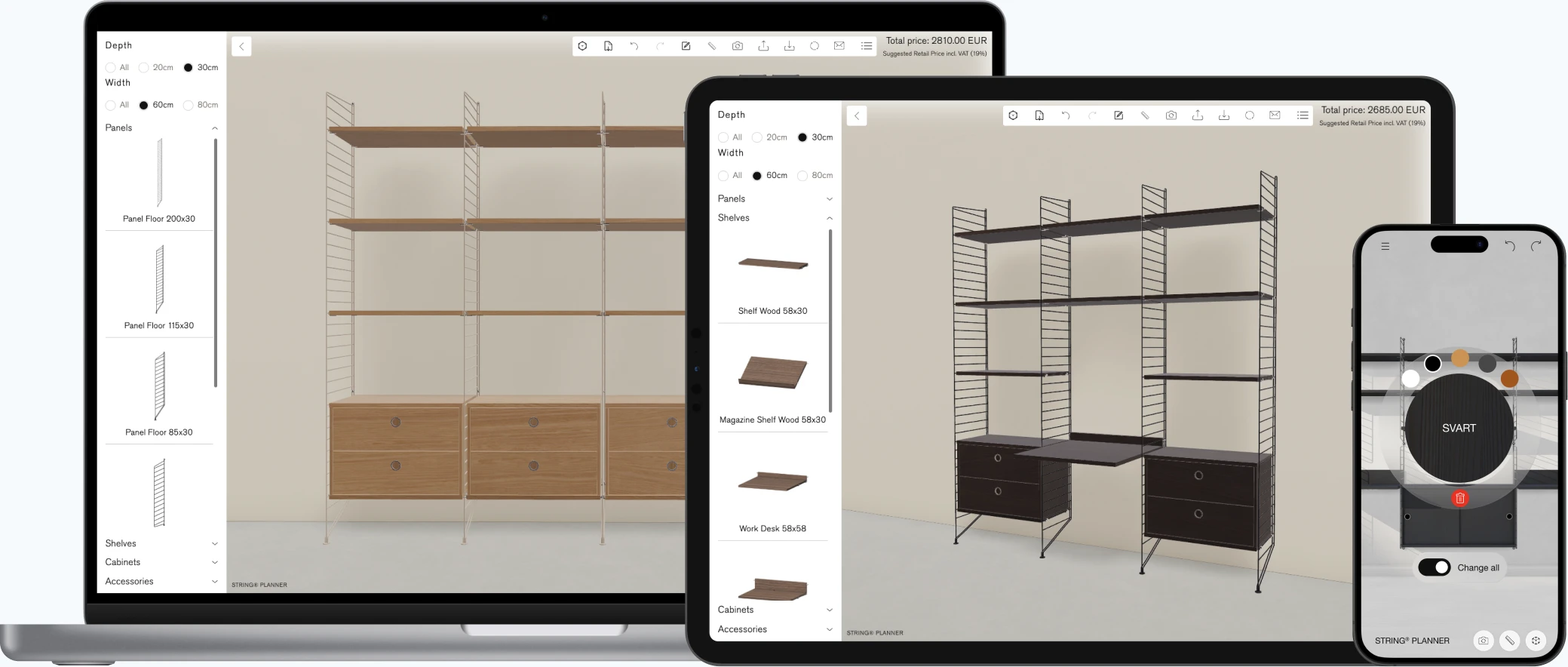
It shows the product
Customers see their configuration in real-time 3D, in the browser, from any angle. It runs on WebGL, so there is nothing to install and it works on laptops, tablets and phones.
It allows only what can be built
The rules behind the product are built into the configurator. Invalid combinations are never offered, so every order is buildable by design. This removes most of the checking that sales engineers otherwise do by hand.
It hands over a complete order
The result is not just a picture but a structured specification. It can go straight to a quote, a shopping cart or your ERP or CPQ system, with part numbers and prices attached. Visual CPQ extends the configurator into the full quote process for products with complex pricing and rules.
Examples across industries
The pattern is the same whatever the product. In shelving and storage, customers combine modules, sizes, finishes and accessories into a system that fits their space. Animech has built configurators for shelving brands such as Elfa and String, and our page on the shelving and storage configurator shows how it works.
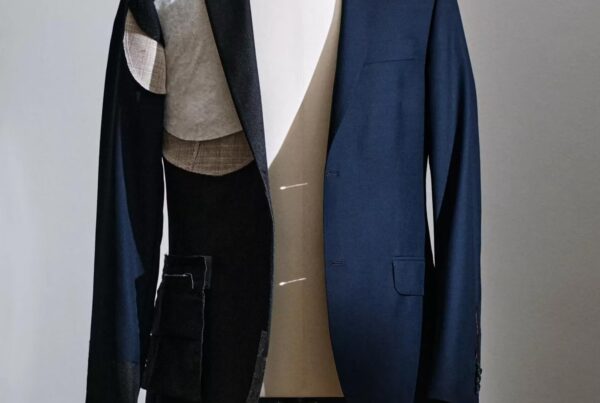
In apparel, customers choose colors, materials and details and see the result immediately. We cover that in more detail on our page about 3D configurators for fashion and apparel. In industrial products, a pump or a machine can be configured by connection type, capacity, drive and options, with the specification going to the sales team as a clean order.
How to get started with mass customization
1. Map your options and rules
Write down which choices exist, which depend on each other and which combinations are invalid. This is the product logic the configurator will enforce, and it is often the most valuable part of the project.
2. Decide what the customer decides
Not every option should be public. Some choices belong to the customer, others to your sales team or engineers. Draw that line before you build.
3. Connect to your product data
If 3D models, parts and prices already exist in your CAD, PLM, PDM or PIM systems, reuse them. It keeps the configurator accurate and reduces the work of keeping it up to date. Our article on 3D visualization for industrial products shows how CAD data becomes interactive 3D.
4. Start with a pilot
Pick one product line, launch a first version and learn from real use. A pilot takes about four weeks, and our How to buy page explains how licensing and implementation work.
Common mistakes
- Offering too many options. More choice is not always better. Start with the options that matter and add more once you see what customers actually use.
- Treating the configurator as a visual add-on. A configurator that shows a nice picture but does not enforce rules only moves the checking work to later in the process.
- Starting with every product at once. One product line done well teaches you more than ten done halfway.
- Choosing a tool before the use case. If you are comparing vendors, our guide on how to choose a 3D configurator covers what to ask.
Frequently asked questions
What is mass customization?
Mass customization means selling products that are configured to each customer’s needs while producing them with repeatable processes, so that customization does not turn into a new engineering project for every order.
What is the difference between mass customization and personalization?
Personalization adapts what a customer sees or is offered, such as recommendations. Mass customization lets the customer define the product itself by choosing options that you then produce.
Do you need a 3D configurator for mass customization?
No, but it helps most when products are complex. A 3D configurator shows the result, enforces the rules between options and delivers a buildable specification, which are the three things that otherwise take manual work.
Which products suit mass customization?
Products with many options that combine in rule-based ways, such as shelving and storage systems, industrial equipment, furniture, vehicles and apparel.
How long does it take to launch a 3D configurator?
It depends on the product and the data you already have. A pilot for one product line takes about four weeks.
Want to see how this works for your products? Book a demo or take a look at Aniconfigurator.