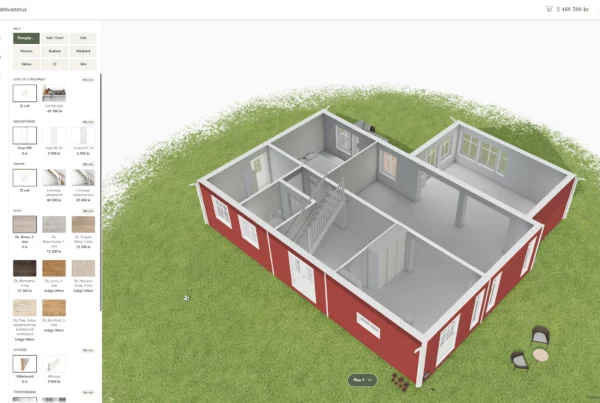
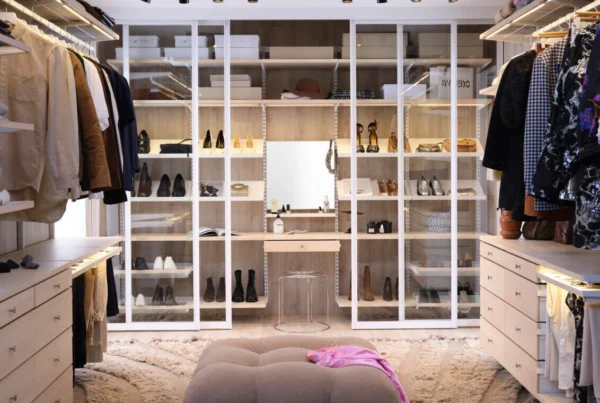
3D visualization is the process of turning a 3D model into images, film or interactive experiences that people can see and understand. It is used to show products before they exist, to sell products with many variants and to explain how things work. This guide explains how it works, which types exist and where companies use it.
What is 3D visualization?
3D visualization is an umbrella term for the steps that turn an idea, a drawing or CAD data into a visual result: 3D modeling, adding materials and lighting, and rendering. The result can be a still image, a film or a real-time 3D view that the user controls. Unlike a 2D image, a 3D model can be rotated and viewed from any angle, which makes it ideal for product visualization and marketing.
“3D visuals” is a common way to refer to the images, films and interactive views that 3D visualization produces.
3D modeling, 3D rendering and 3D visualization
The three terms are often mixed up. 3D modeling builds the model. 3D rendering turns the model into an image or film. 3D visualization is the whole chain, including the choice of output. Read more in what is 3D rendering.
How does 3D visualization work?
- Gather input. Sketches, CAD files, photos and product data.
- Model. Build or prepare the 3D model so it is clean and structured.
- Materials and textures. Give surfaces realistic properties such as metal, fabric, paint or glass.
- Lighting and camera. Set up light and viewpoints that suit the product.
- Render or publish in real time. Produce images and film, or publish an interactive 3D view.
- Deliver. Use the result on the web, in sales tools, in print, in showrooms or in AR.
Types of 3D visualization
Still images
Rendered images for web, catalogs and print. They are fast to load and easy to reuse.
Animation and film
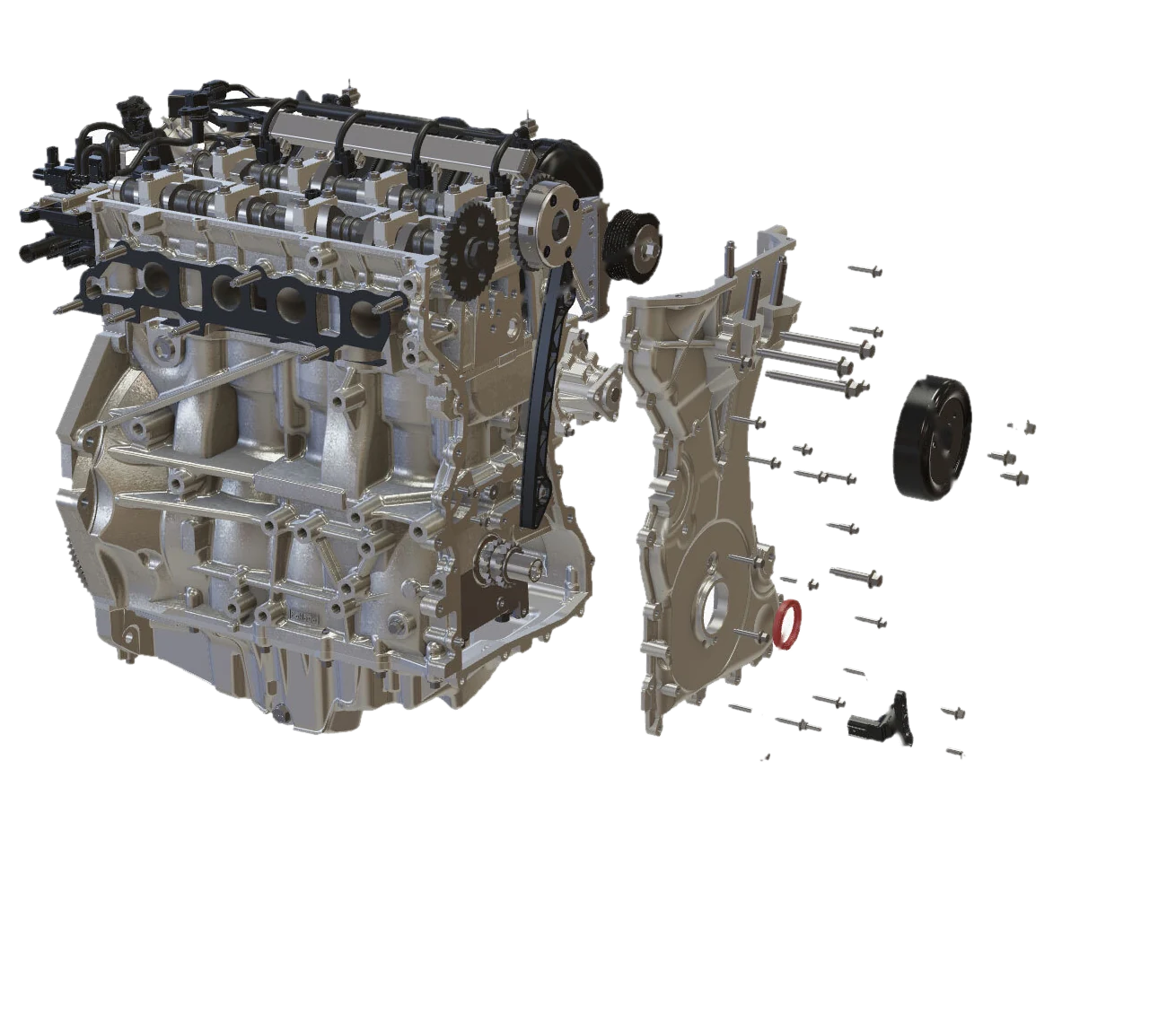
Moving images that explain how a product works or build a story around a launch. Exploded views and cutaways are common.
Real-time interactive 3D
A 3D view the user controls in the browser. Real-time 3D runs on WebGL, so nothing needs to be installed. This is the basis for product configurators and interactive spare parts catalogs.
AR and VR
Augmented reality places the product in the user’s own room or hand. Virtual reality puts the user inside an environment. Read more about AR.
Where is 3D visualization used?
- Product design and development. Design reviews and early feedback before anything is manufactured.
- Marketing and e-commerce. Product images, film and configurators that let customers explore and choose. See 3D visualization for e-commerce.
- Industrial sales and CPQ. Configure, price and quote complex products in 3D. See Visual CPQ.
- Aftermarket and service. Spare parts catalogs, manuals and training built from CAD. See Anipart.
- Architecture, construction and real estate. Buildings and homes that can be seen before they are built.
- Gaming, film and advertising. The industries where the technology is best known.
- Medical devices and life science. Complex equipment explained clearly to users and service teams.
For a deeper look at how 3D is used in industry, read 3D visualization for industrial products.
3D visualization or photography?
Photography is the right choice when the product exists and comes in few variants. 3D visualization is the better choice when the product has many variants, is built to order, is not built yet, or when the viewer needs to rotate, open up or configure it. Once the 3D model exists, new variants and views are produced from the same source instead of a new photo shoot.
What are the benefits?
- A clearer picture of the product, for customers and for colleagues.
- Earlier decisions, because people can see the result before it is built.
- One model that can be reused for images, film, configurators and manuals.
- Faster handling of variants and updates than traditional photography.
For a view on budget, read what 3D visualization costs.
Companies that visualize their products with Animech
Animech’s customers come from many industries. Everything from the automotive industry, life sciences and med-tech to companies selling home furnishings, fashion, houses and apartments.
Frequently asked questions
What is 3D visualization in simple terms?
It is the process of turning a 3D model into something people can see: an image, a film or an interactive view that can be rotated and explored.
What is the difference between 3D visualization and 3D rendering?
Rendering is one step that turns a 3D model into an image or film. 3D visualization covers the whole process, including modeling, materials, lighting and the choice of output.
Can 3D visualization be used on the web?
Yes. Real-time 3D runs in the browser using WebGL, so customers can rotate, configure and explore products without installing anything.
Do I need 3D models to start?
Not always. Many industrial companies already have CAD models that can be prepared for visualization. Otherwise a model can be built from drawings or photos.
From 3D visualization to a configurator that sells
Animech turns 3D visualization into browser-based product configurators where customers explore, configure and order complex products. See how Aniconfigurator works, or book a demo.