One model, every use
The same 3D model powers spare parts, service and training.
Three parts, one source of product knowledge. Anipart turns CAD, PDM and PLM data into spare parts catalogs, service instructions and training, from one 3D model.
Runs in the cloud, on prem or offline.
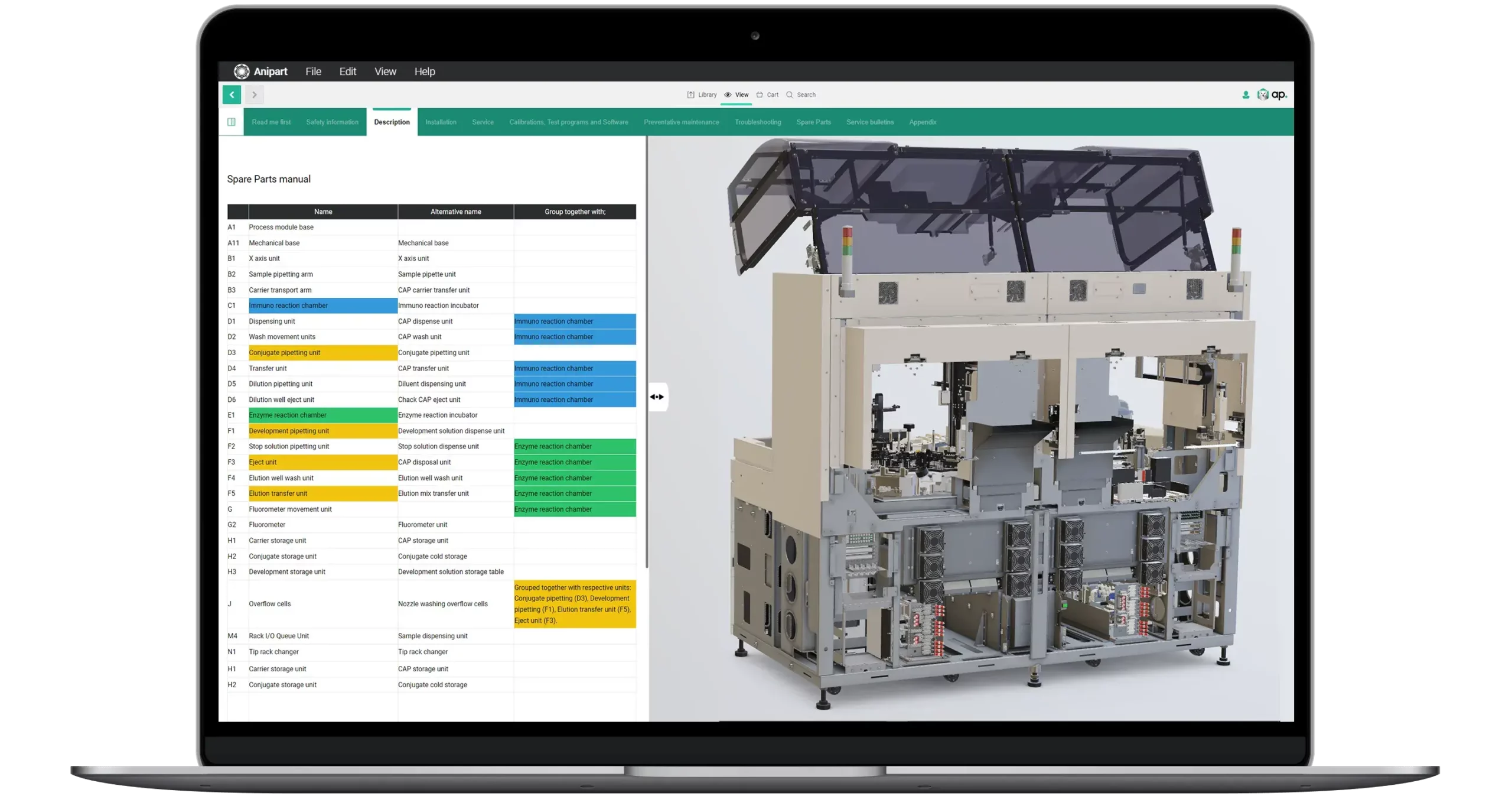
One platform instead of separate tools for parts, service and training means lower cost and content that stays consistent.
The same 3D model powers spare parts, service and training.
Content is generated from CAD, PDM and PLM instead of being rebuilt by hand.
APIs connect Anipart to ERP, web shops and service portals.
Every part of Anipart works on the same product and the same data, so what is created once can be used for spare parts, service and training.
Build structure, procedures, animations and content on top of your product data.
Control which users and groups can access which content packages.
Explore the product, find parts and follow procedures.
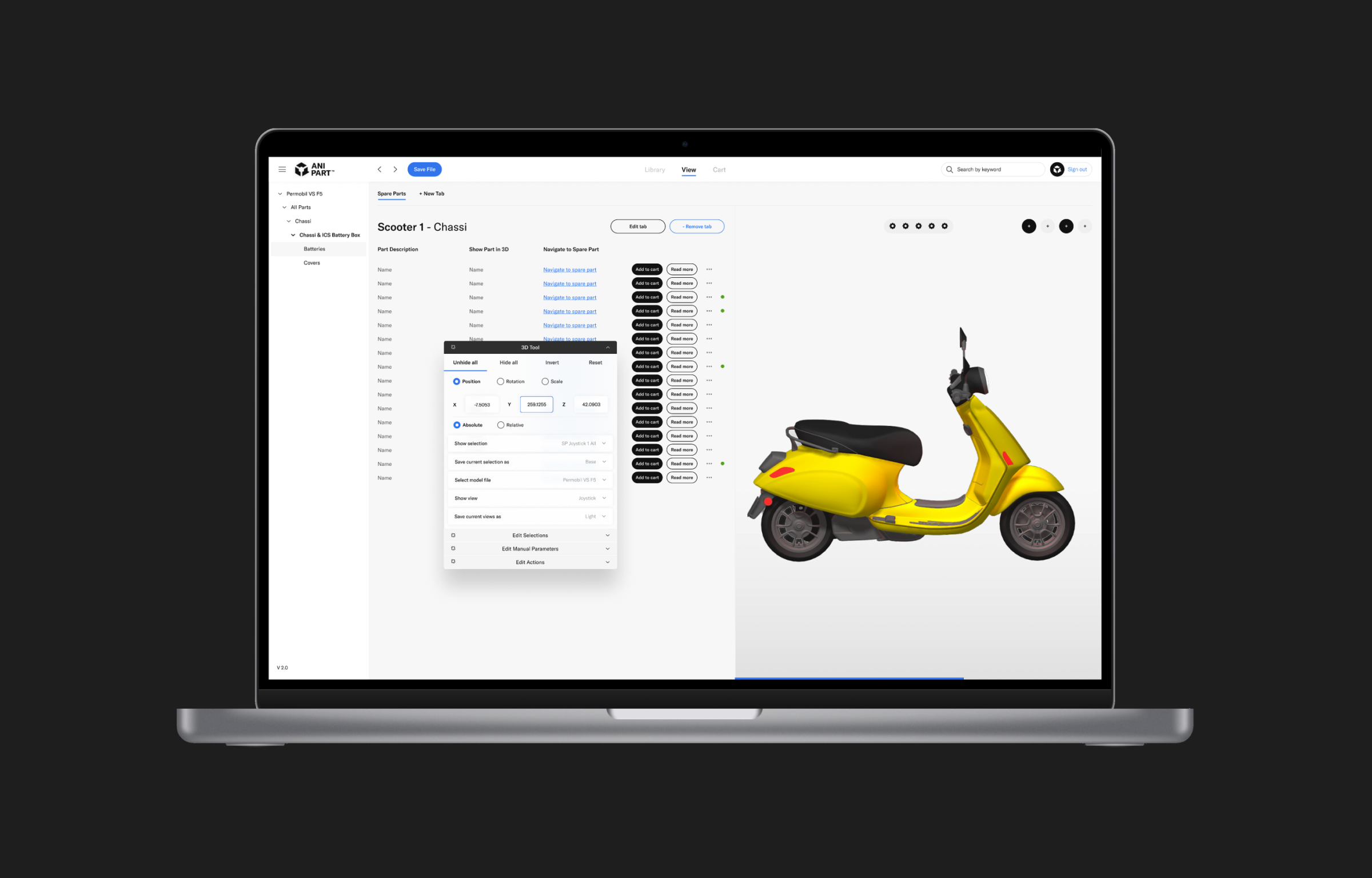
In Studio, your team builds on the imported product: chapters, exploded views, procedures, animations and connected information.
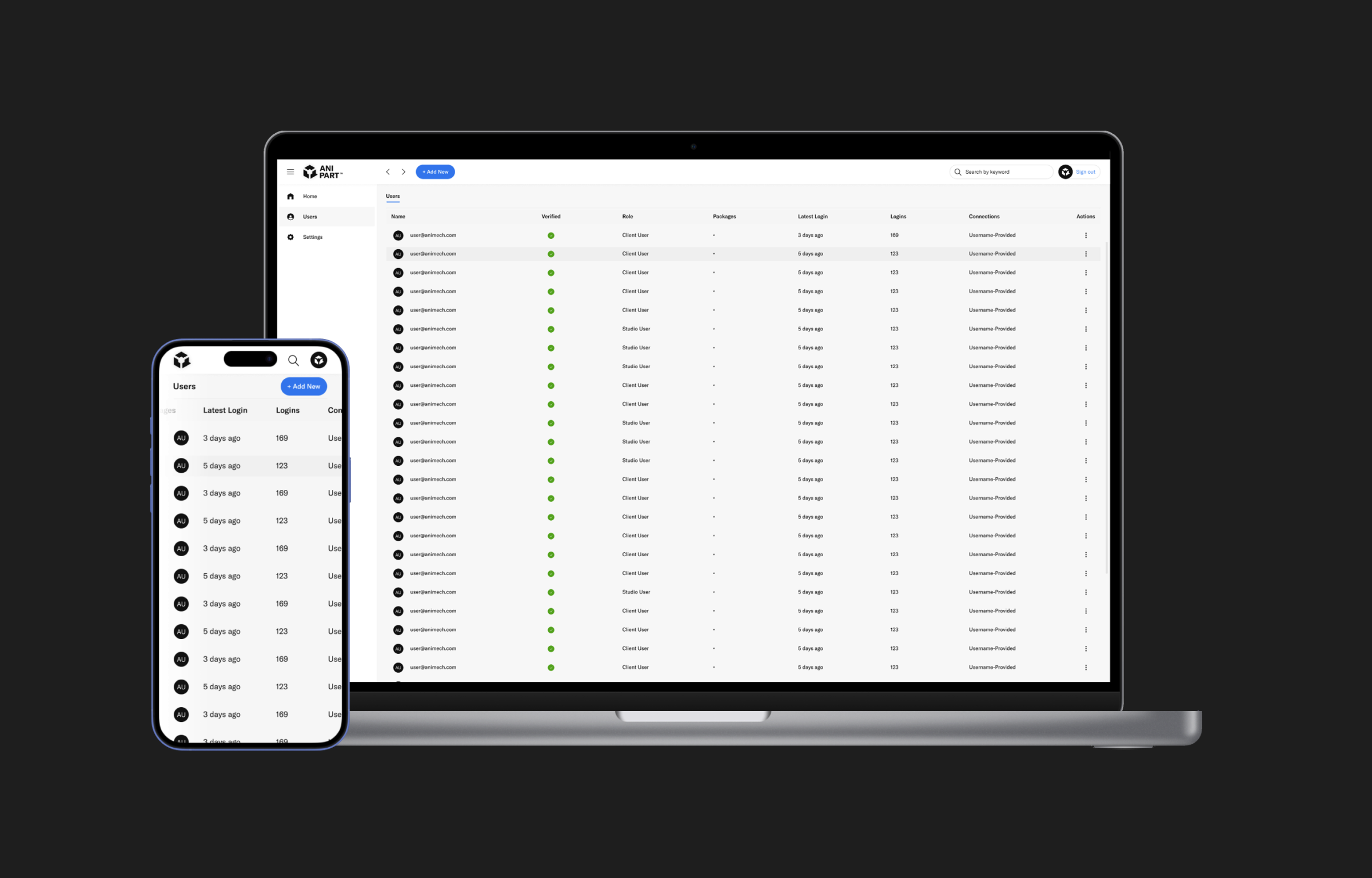
Dashboard is the administrative hub. It controls which users and groups have access to which content packages, so your team can onboard partners and revoke access without IT tickets or file distribution.
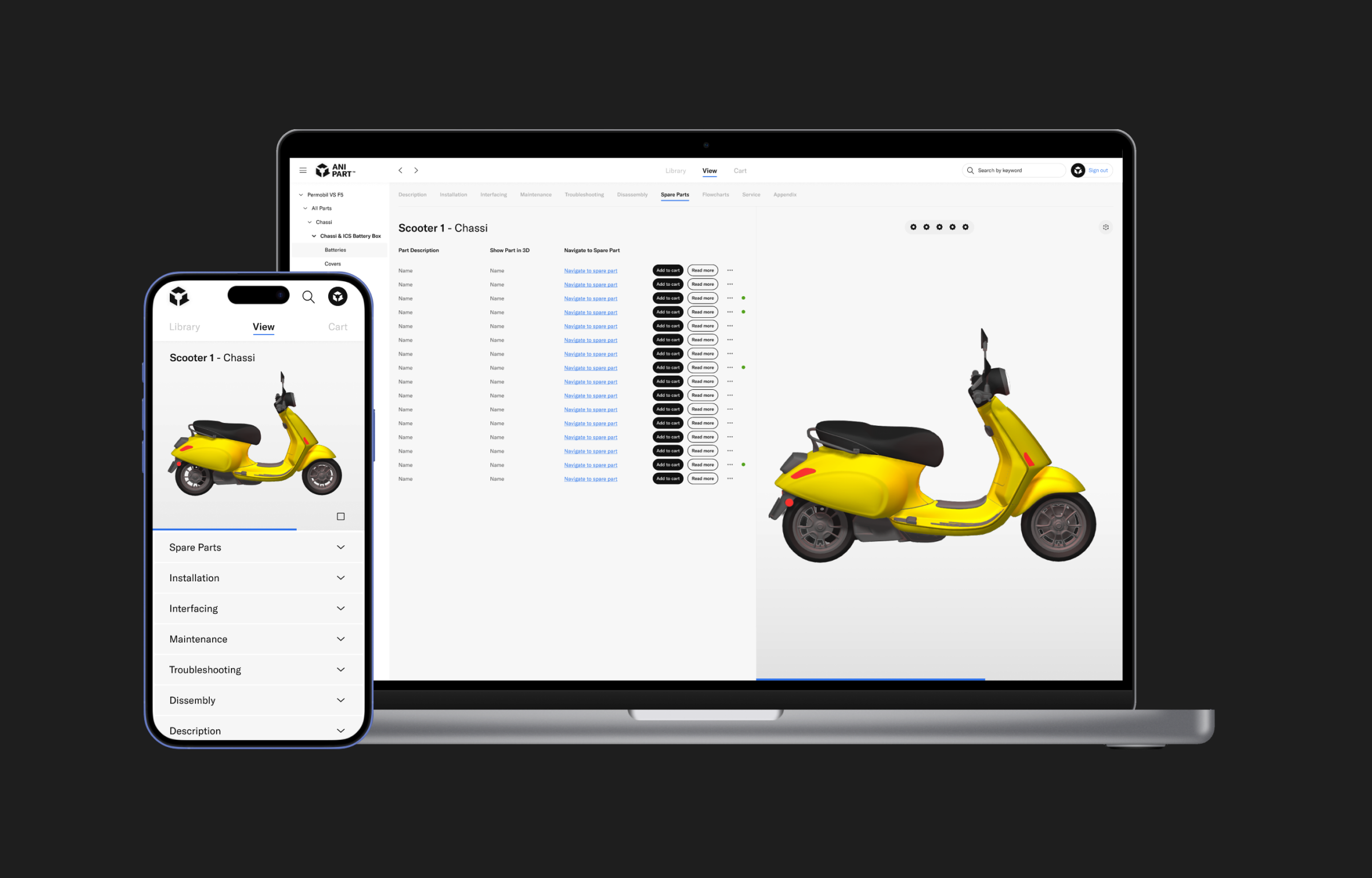
The Client is what customers, dealers and technicians use, on any device that runs a browser and in XR, with the product always in view.
Published updates reach users automatically, and only the content that has changed needs to be downloaded.
See how CAD and product data become structure, connected data and exploded views.
We do not rebuild your product by hand. Geometry, structure and part data come from your PDM and PLM systems, and the content is generated from the same data. That keeps the cost down and the material up to date.
Geometry, structure and part numbers, straight from the systems you already use.
Models are optimised for the web and exploded views are generated from the geometry.
Parts lists, procedures and training are built and maintained on the same model.
Customers, dealers and technicians use it in the browser. When engineering changes, everything follows.
APIs connect Anipart to product data, business systems and sales channels. Every integration is adapted to your architecture.
CAD, PLM, BOM and metadata
ERP, CPQ and order management
Webshop, dealer and service portals
Common questions about the platform, access, updates and hosting.
Yes. Animech provides training and support so that your team can create, maintain and publish content independently. We can also help with parts of the content.
Content is published centrally. Users get the latest version automatically, and only changed content needs to be downloaded.
Yes. Anipart runs in the browser, but it does not depend on the internet. You can run it in the cloud, on premise on your own servers, or offline, for example in a workshop, on board a vessel or at a customer site without a connection. Your product data can stay inside your own environment.
Any device that runs a modern browser (the Client is built on WebGL), plus XR headsets.
Yes. Access is controlled per user, group and content package in Anipart Dashboard, with login through your existing identity provider.
Anipart can be hosted by Animech or on your own infrastructure, on-premises or in your cloud of choice. Anipart Dashboard manages users and access, while your product content stays where you want it.
It depends on your parts volume, service load and training needs. The logic is simple: fewer wrong orders, shorter service jobs and faster onboarding, from one investment. In a demo we go through your numbers and build the case together.
Book a demo and we’ll walk through Studio, Dashboard and Client with a product like yours.
We walk through your product, your parts data and your ordering flow, and come back with a clear next step.
Prefer to pick a time?
We use your details to respond to your request and keep them for up to 24 months after our last contact. Read more in our privacy policy.