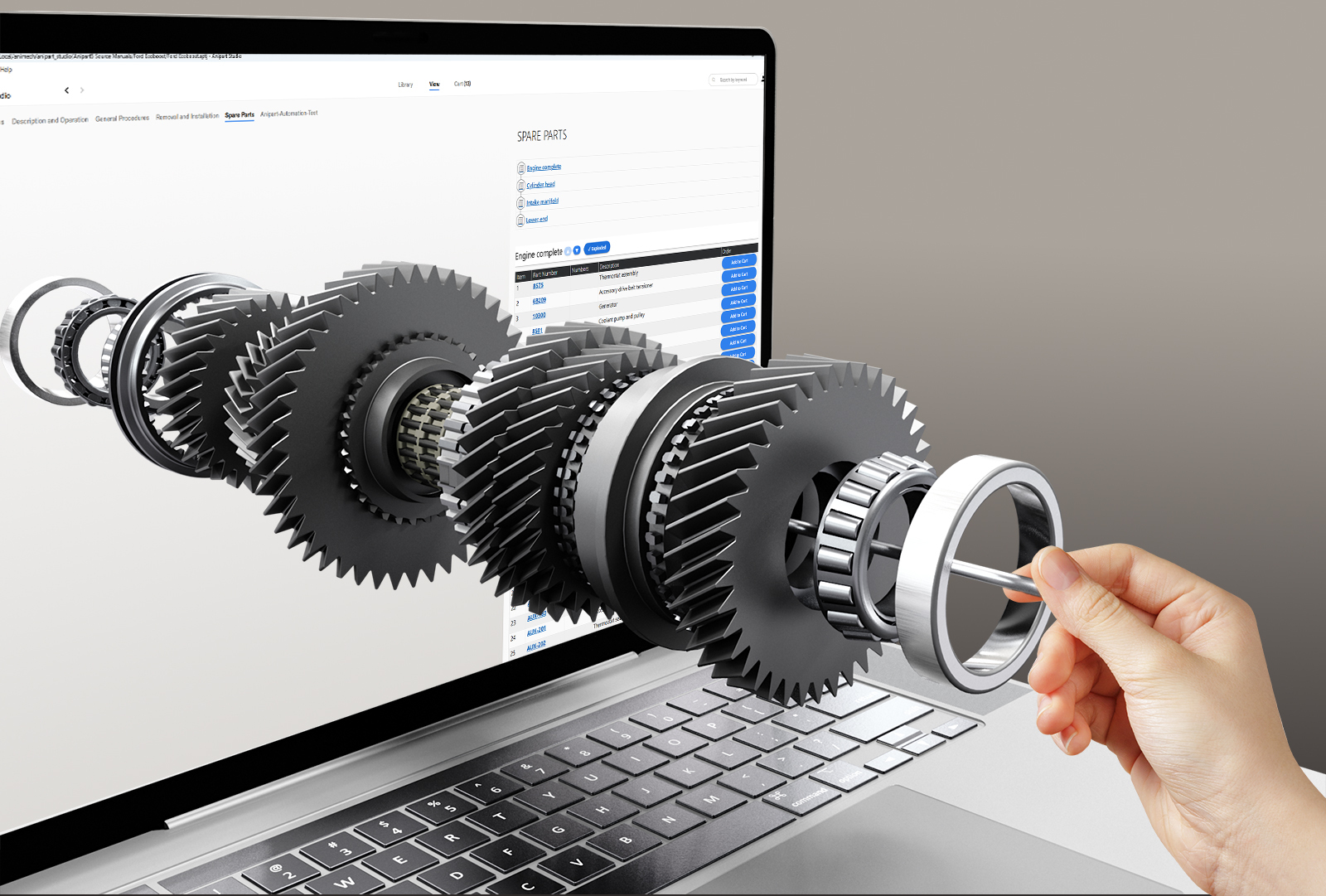
Fewer wrong orders
When customers point at the part instead of guessing a number, returns, credits and reshipments drop.
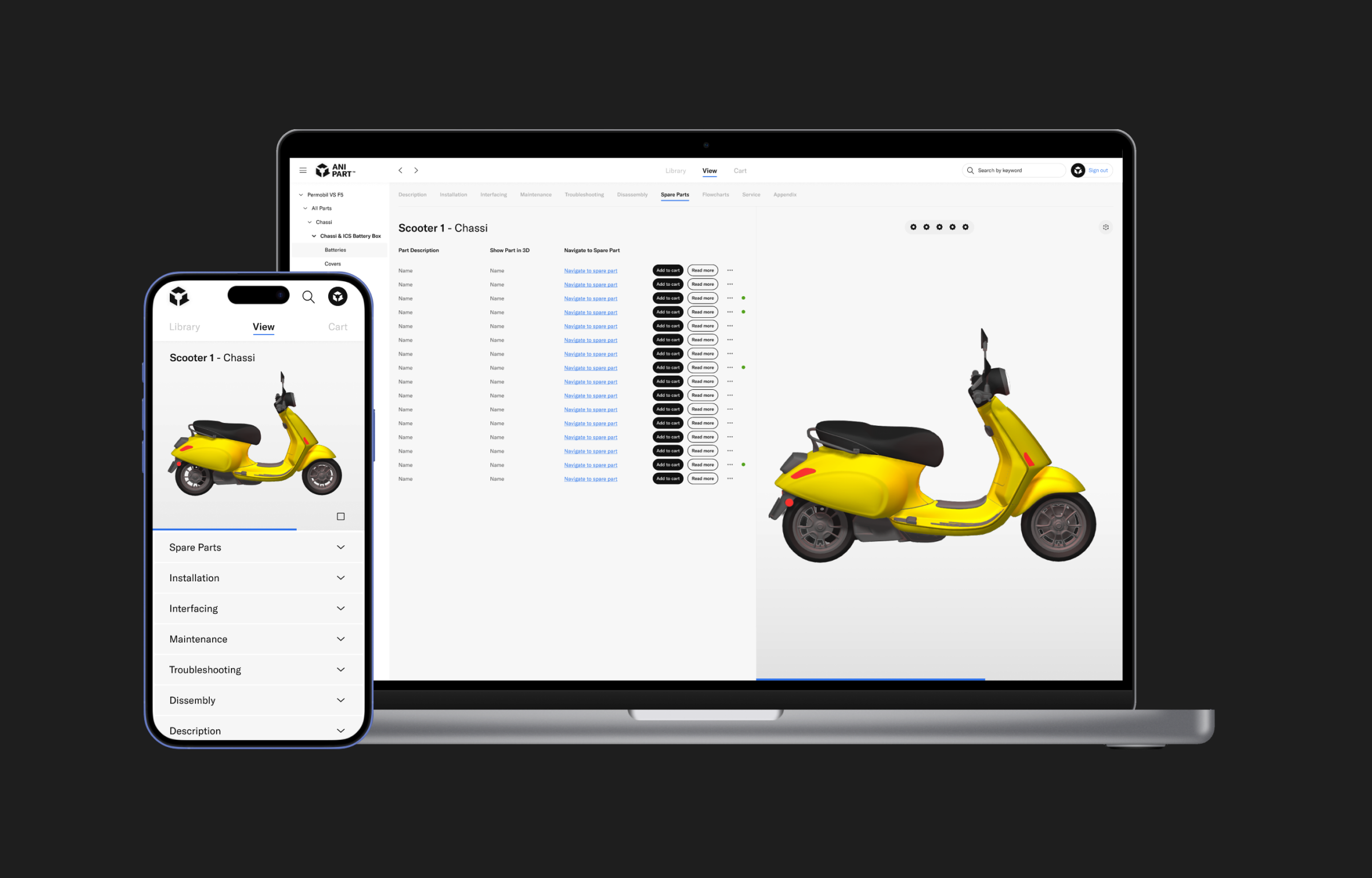
See the part. Order the part. Customers, dealers and technicians find the right spare part in seconds by clicking it on the product, with part number, price and stock in context.
Runs in the cloud, on prem or offline.
Wrong parts, lost orders and support calls cost money. Anipart removes the guesswork where it starts: at the product.
When customers point at the part instead of guessing a number, returns, credits and reshipments drop.
Parts that are easy to find get ordered, from you rather than from a copy.
Customers and dealers find the answer themselves. Your experts focus on the cases that need them.
Rotate the product, open an assembly and select the component. Anipart highlights it in 3D and shows where it sits in the product structure, down to the smallest nut.
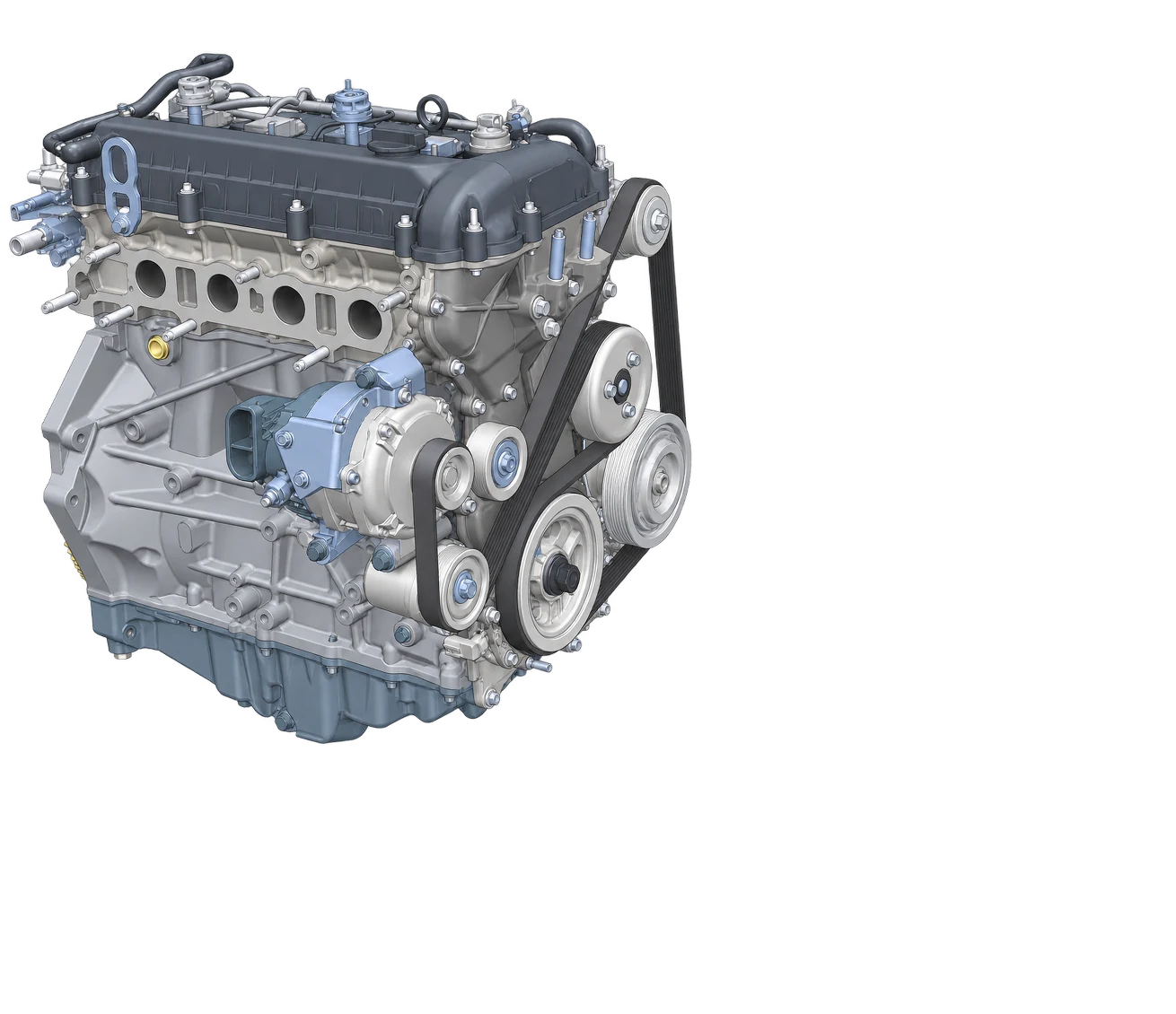
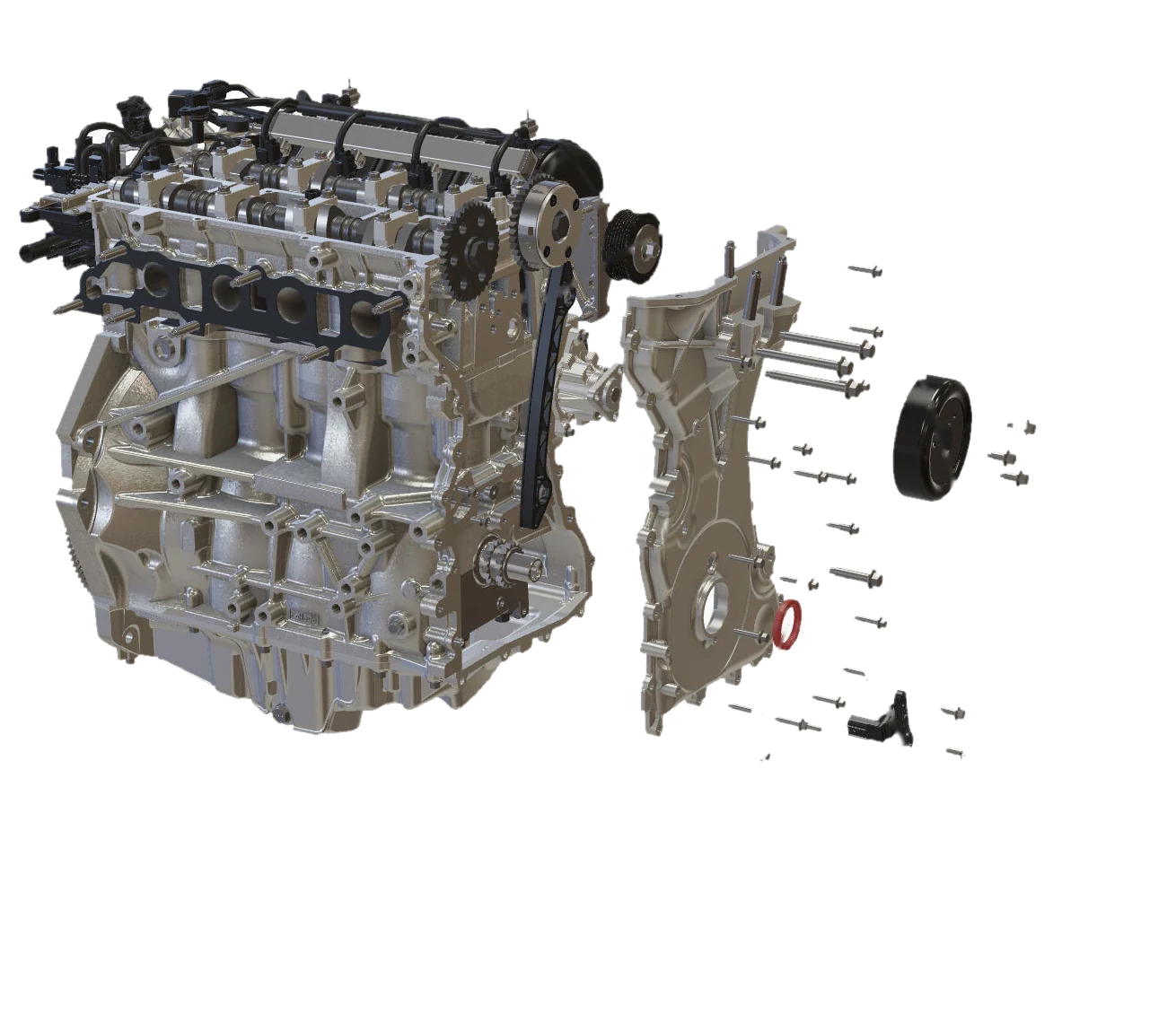
Anipart creates exploded views from the product geometry, numbered and linked to the parts list. Select a number or a row, and the model and the list follow each other.
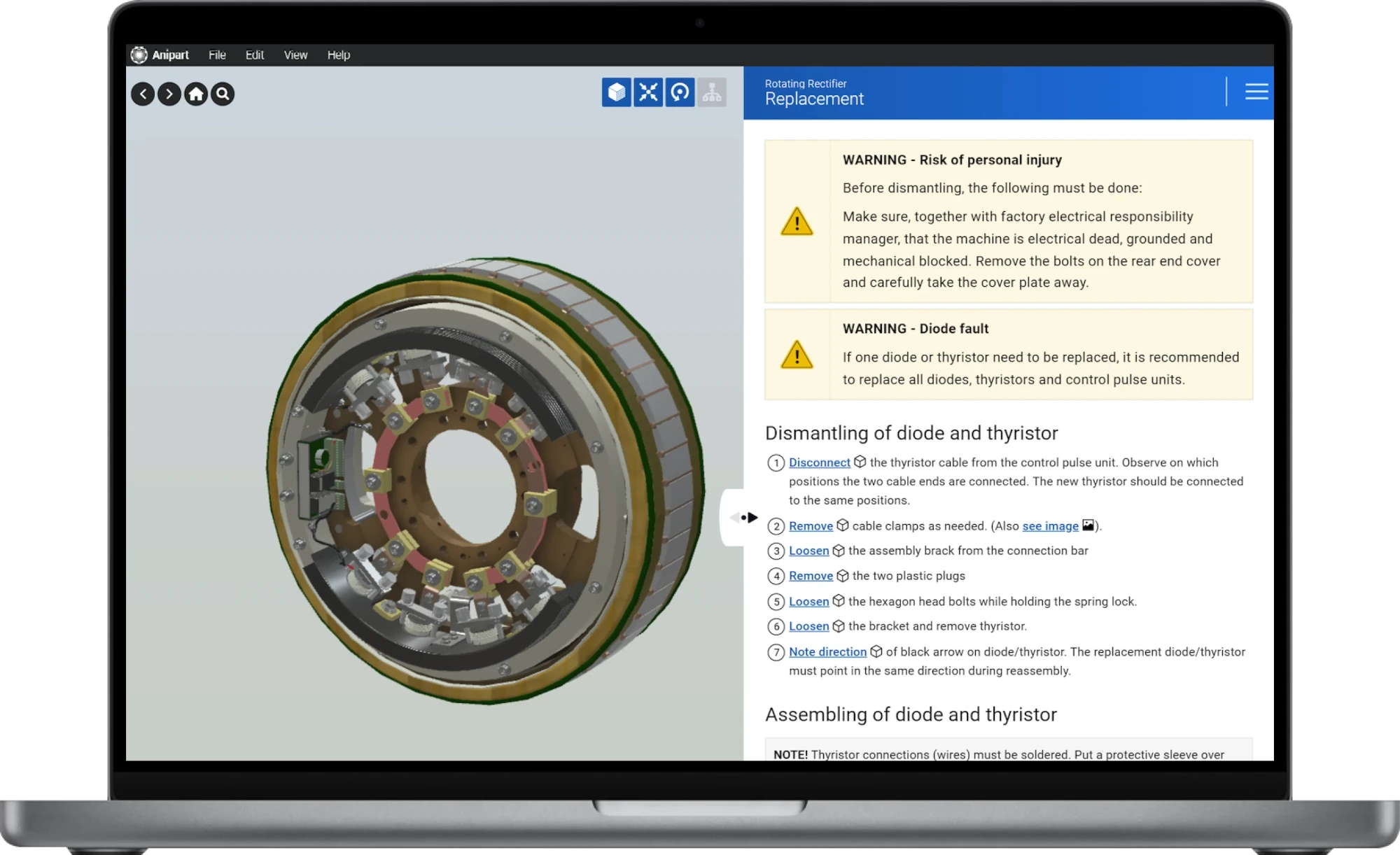
Part number, description, price, availability, documents and related parts appear next to the component. Tabs keep spare parts, maintenance and technical data apart, so every piece of information has its place.
Add parts to a list or cart and hand it over to your webshop, ERP or dealer portal. Anipart fits into the ordering flow you already have, rather than replacing it.
When a product has been configured, Anipart can show the variant that was actually delivered. Customers only see the spare parts that fit their machine.
We do not rebuild your product by hand. Geometry, structure and part data come from your PDM and PLM systems, and the content is generated from the same data. That keeps the cost down and the material up to date. Learn how Anipart Connect automates it.
Geometry, structure and part numbers, straight from the systems you already use.
Models are optimised for the web and exploded views are generated from the geometry.
BOM, prices and stock linked from ERP, so every channel shows the same figures.
In the browser, with ordering through your web shop. When engineering changes, the catalog follows.
Anipart reads product and spare parts data from your existing systems and hands orders back to them. Every integration is adapted to your architecture and defined together with you before implementation.
CAD, BOM, PLM and product structure
ERP data such as part numbers, prices and stock
Webshop, dealer portal or service portal
Common questions about data, prices, ordering and updates.
CAD is the best starting point, since Anipart uses the geometry to build structure and exploded views automatically. Existing 3D files and product data can also be assessed in an initial analysis.
Yes, when connected to your ERP or business system. Prices and availability are read from your systems, so Anipart shows the same figures as your other channels.
Yes. Anipart runs in the browser, but it does not depend on the internet. You can run it in the cloud, on premise on your own servers, or offline, for example in a workshop, on board a vessel or at a customer site without a connection. Your product data can stay inside your own environment.
No. Anipart helps customers identify the right parts and hands the selection over to your existing webshop, ERP or dealer portal.
A visual matching tool lets the new part take over the properties of the old one, so links and animations stay intact. The update is then published to all users.
Yes. Anipart runs on any device with a browser, using WebGL, and in XR headsets.
It depends on your parts volume, return rate and support load. The logic is simple: fewer wrong orders, fewer support cases and more parts sold through your own channel. In a demo we go through your numbers and build the case together.
Try Anipart in the browser, or book a demo and we’ll walk through your product, your parts data and your ordering flow.
We walk through your product, your parts data and your ordering flow, and come back with a clear next step.
Prefer to pick a time?
We use your details to respond to your request and keep them for up to 24 months after our last contact. Read more in our privacy policy.