Anipart
From CAD toservice manual.
Turn the product data you already have into interactive 3D manuals, where customers and technicians find the right part, follow the right procedure and order it in a few clicks.
Built from your data
CAD geometry and product data become the manual.
Runs in any browser
No install for technicians, dealers or customers. Also works offline and on prem.
From part to order
Select the part in 3D, see the part number, add it to the cart.
The Anipart family
One 3D model. Three ways to use it.
Anipart
What your customers, dealers and technicians use: an interactive 3D manual with specifications, service procedures and spare parts.
Anipart Studio
What we build with: the tool that turns CAD geometry and product data into a finished manual.
Anipart ConnectNew
What removes the manual work: generates and updates the content from your CAD, PLM and product data.
With Anipart Studio
Four steps from CAD to manual.
- 01
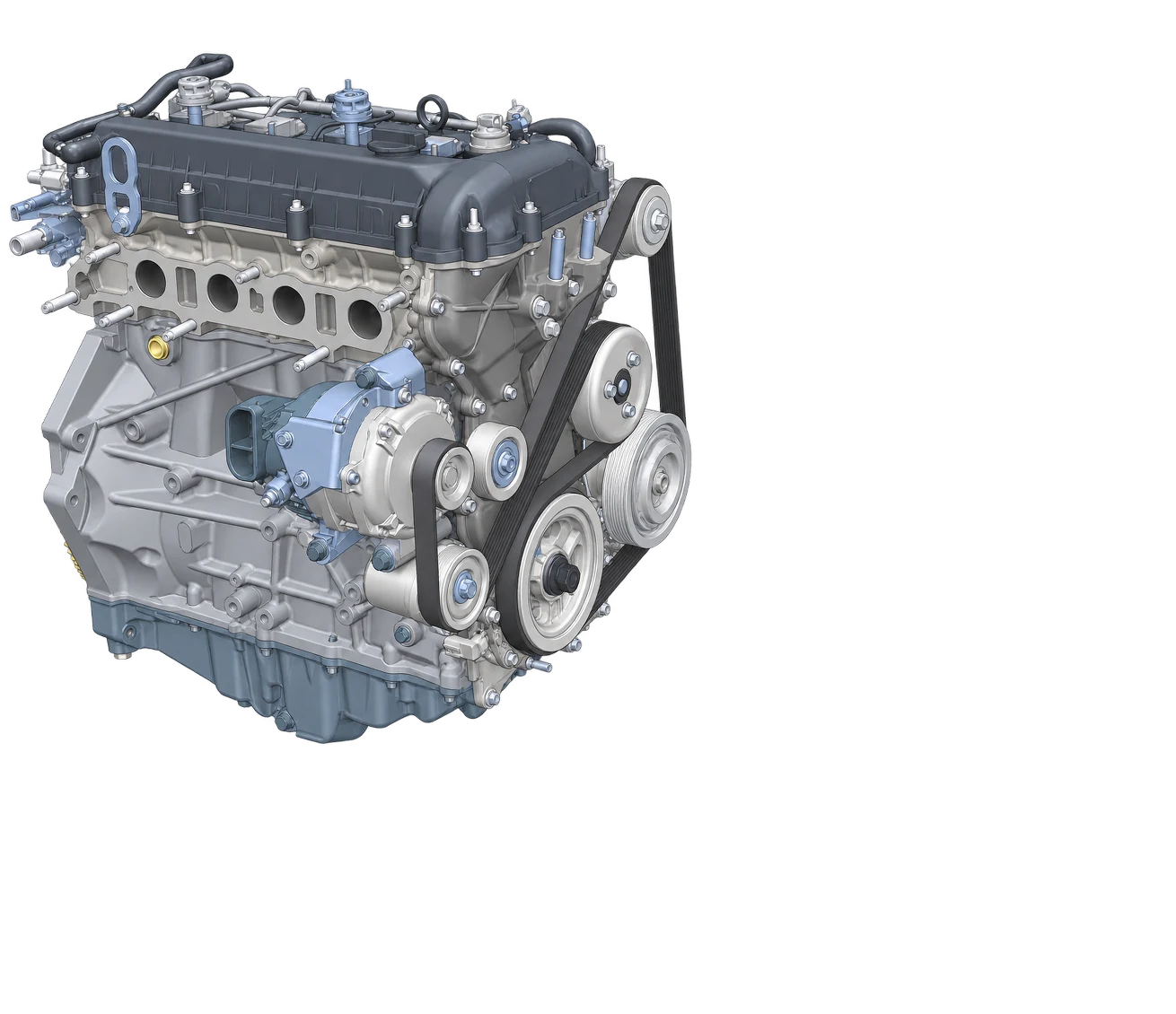
Start from your CAD
The product already exists as an assembly, with every component and every screw.
- 02
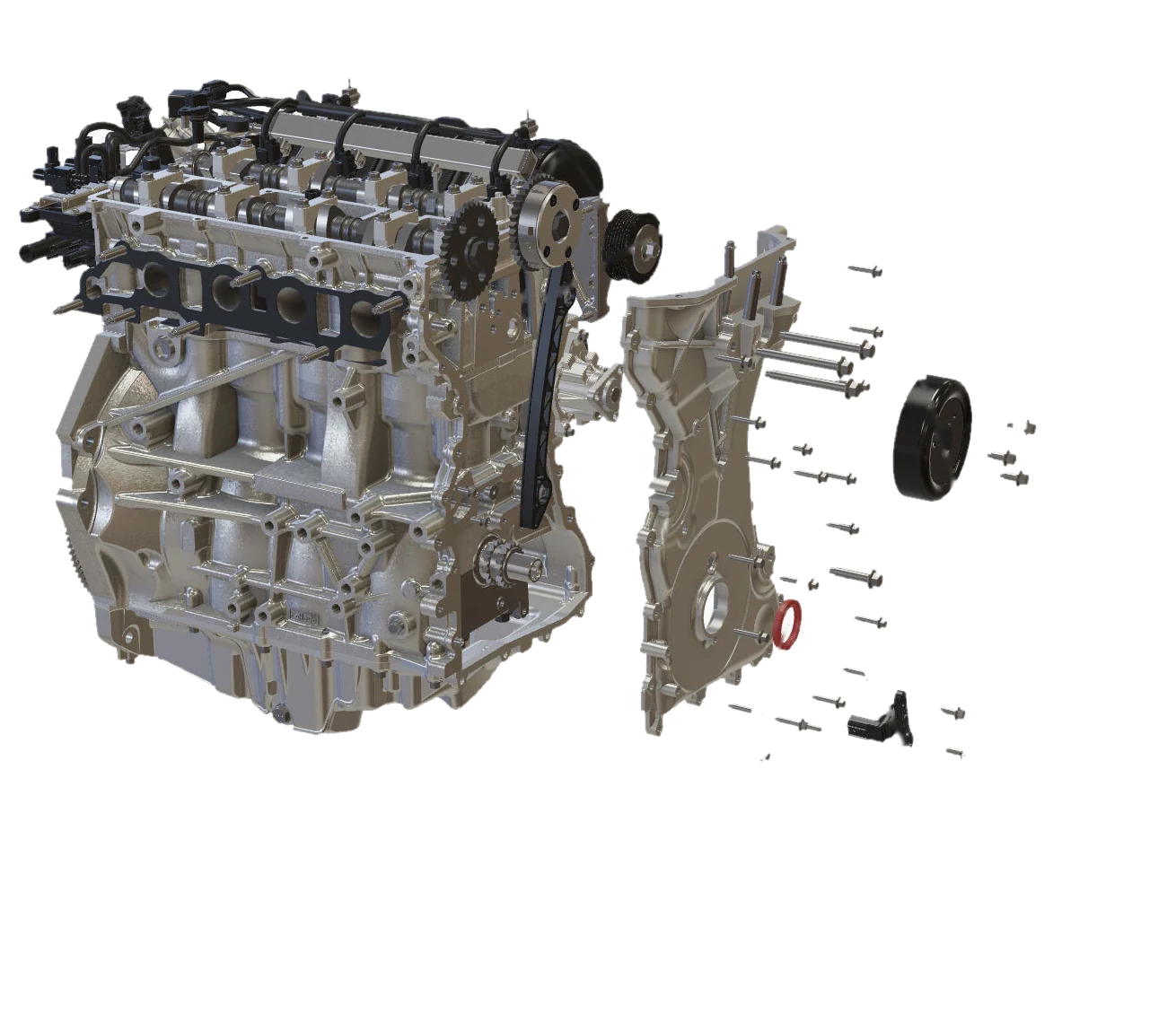
Export to lightweight 3D
The assembly is exported to a lightweight format that stays sharp and fast in any browser, then opened in Anipart Studio.
- 03
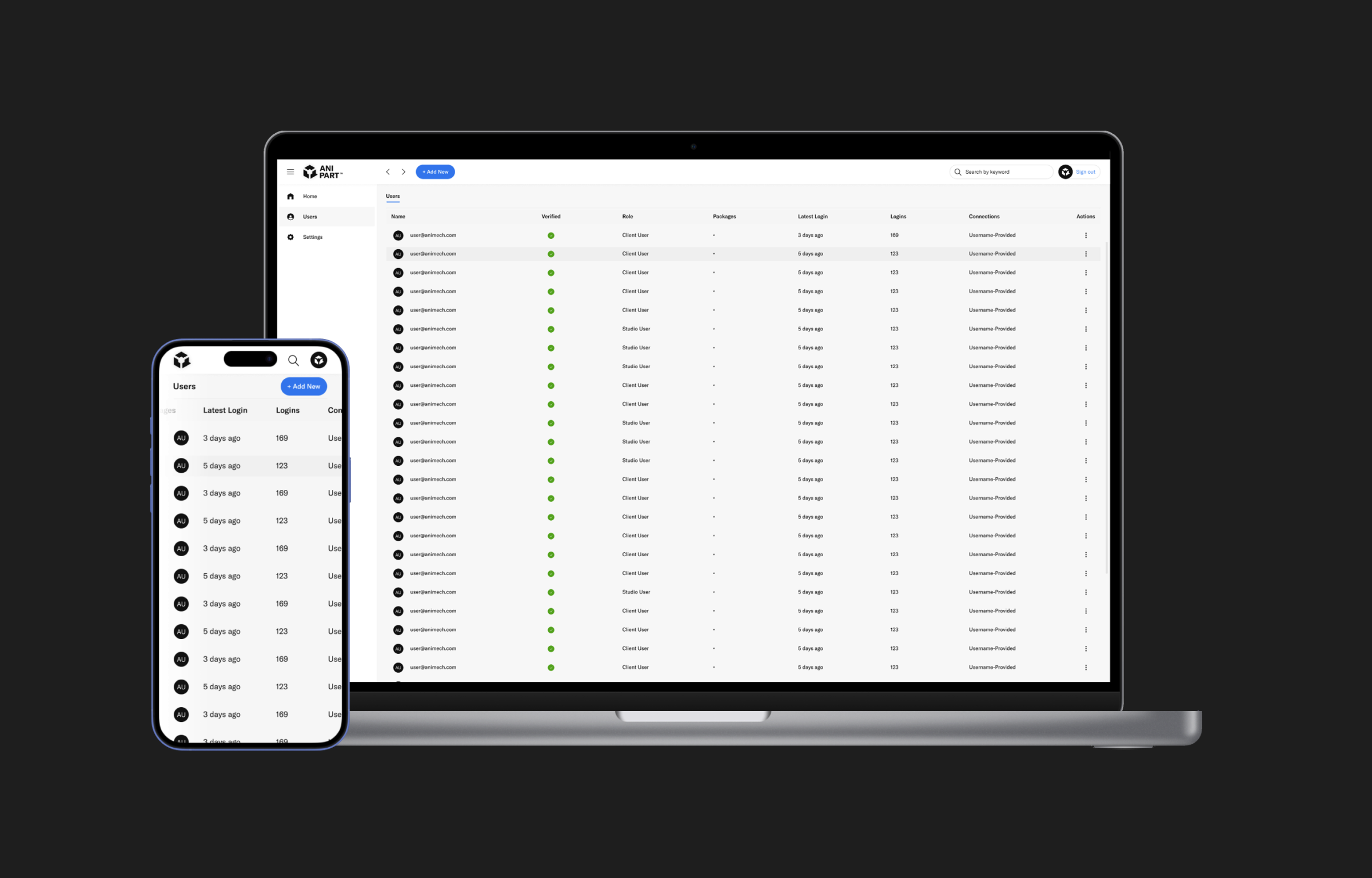
Add your data
In Studio, materials are set and parts are grouped. Specifications, torque values and spare parts lists come in as Excel, JSON or text, and Anipart builds the structure.
- 04
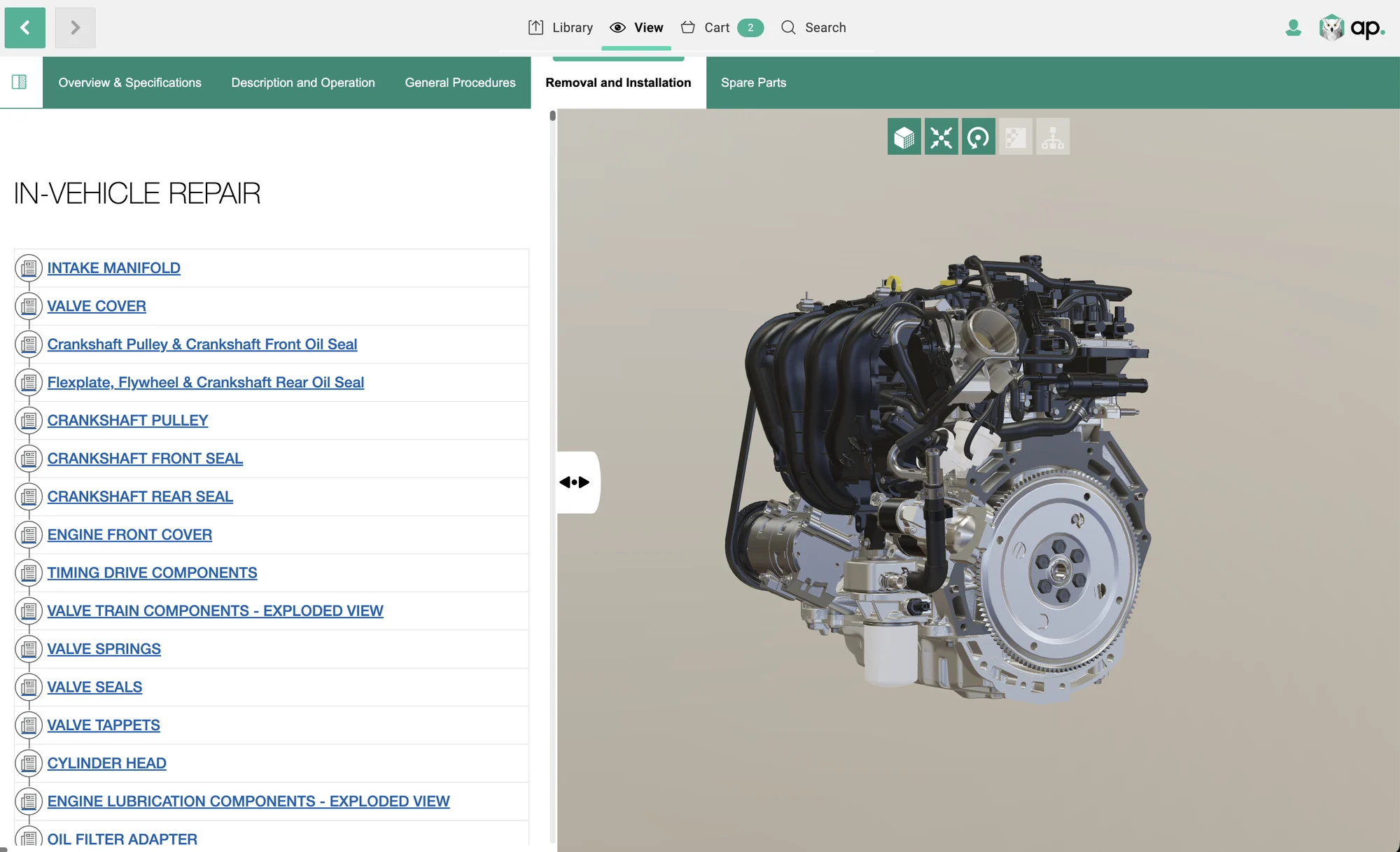
Publish and keep it current
The finished manual opens in any browser for technicians, dealers and customers. With Anipart Connect, updates can follow your product data automatically.
What your users get
A manual they actually want to open.
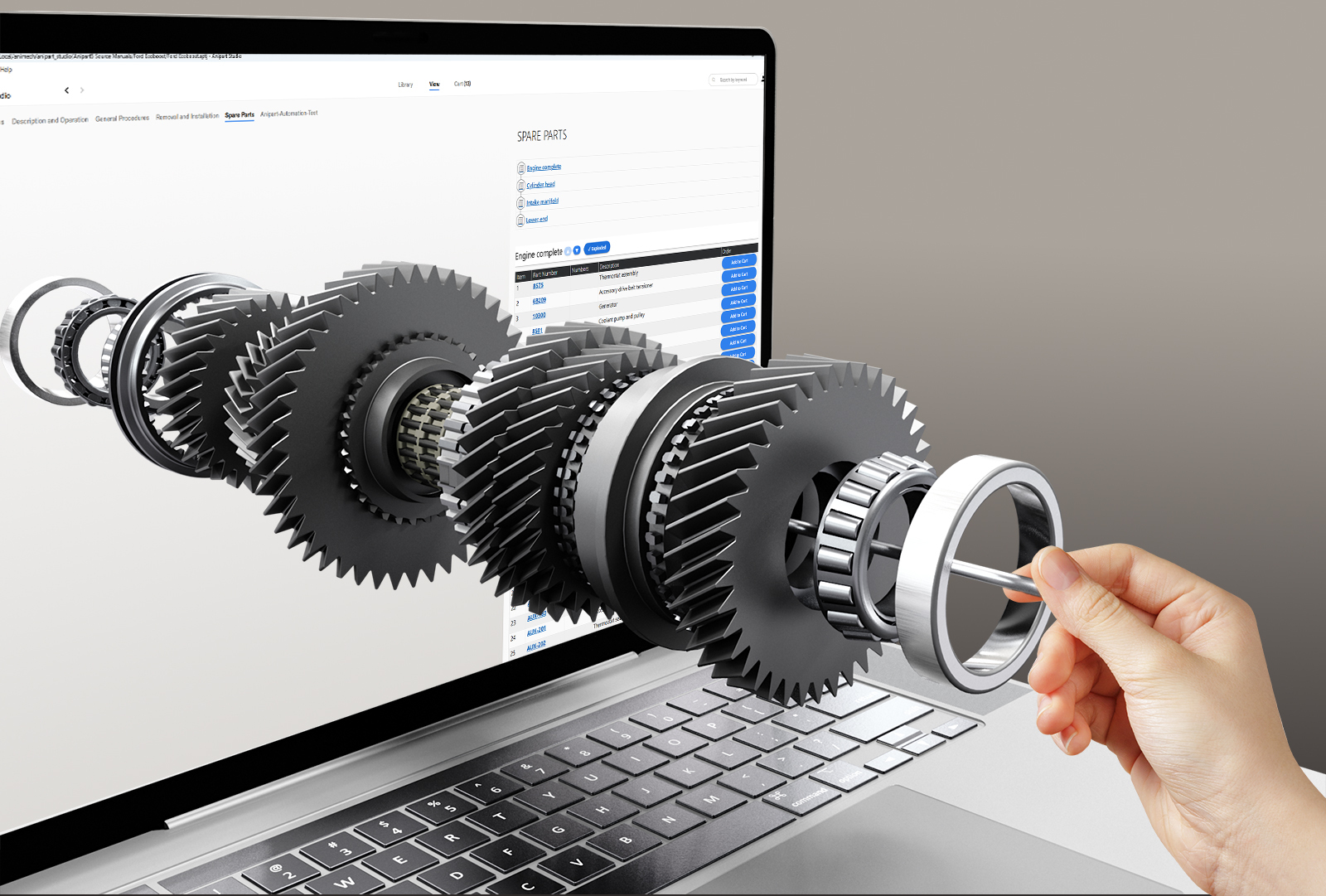
Removal and installation
Exploded views with numbered parts and a clear hierarchy.
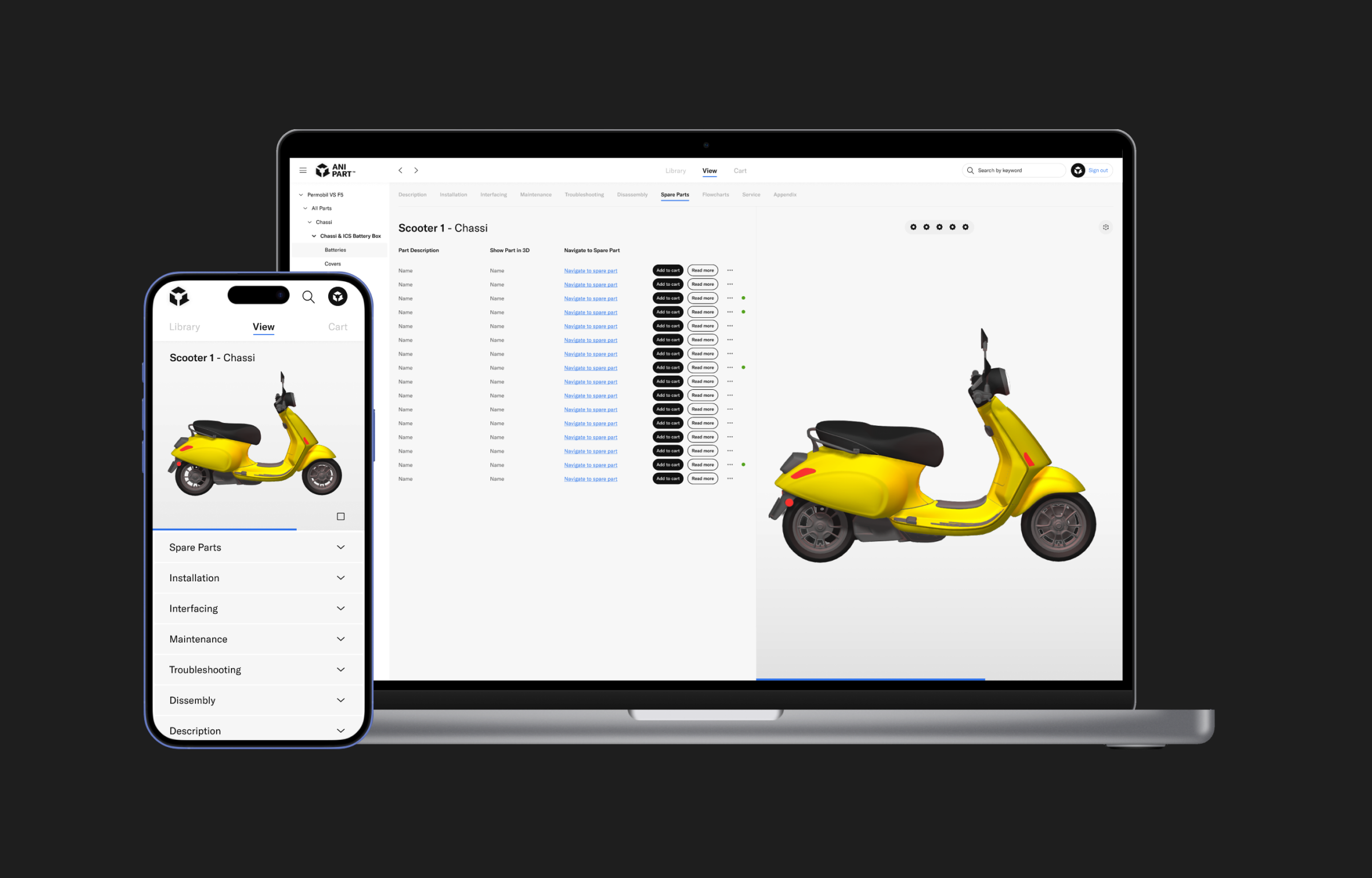
Overview and specifications
Key data and the product broken down into levels.
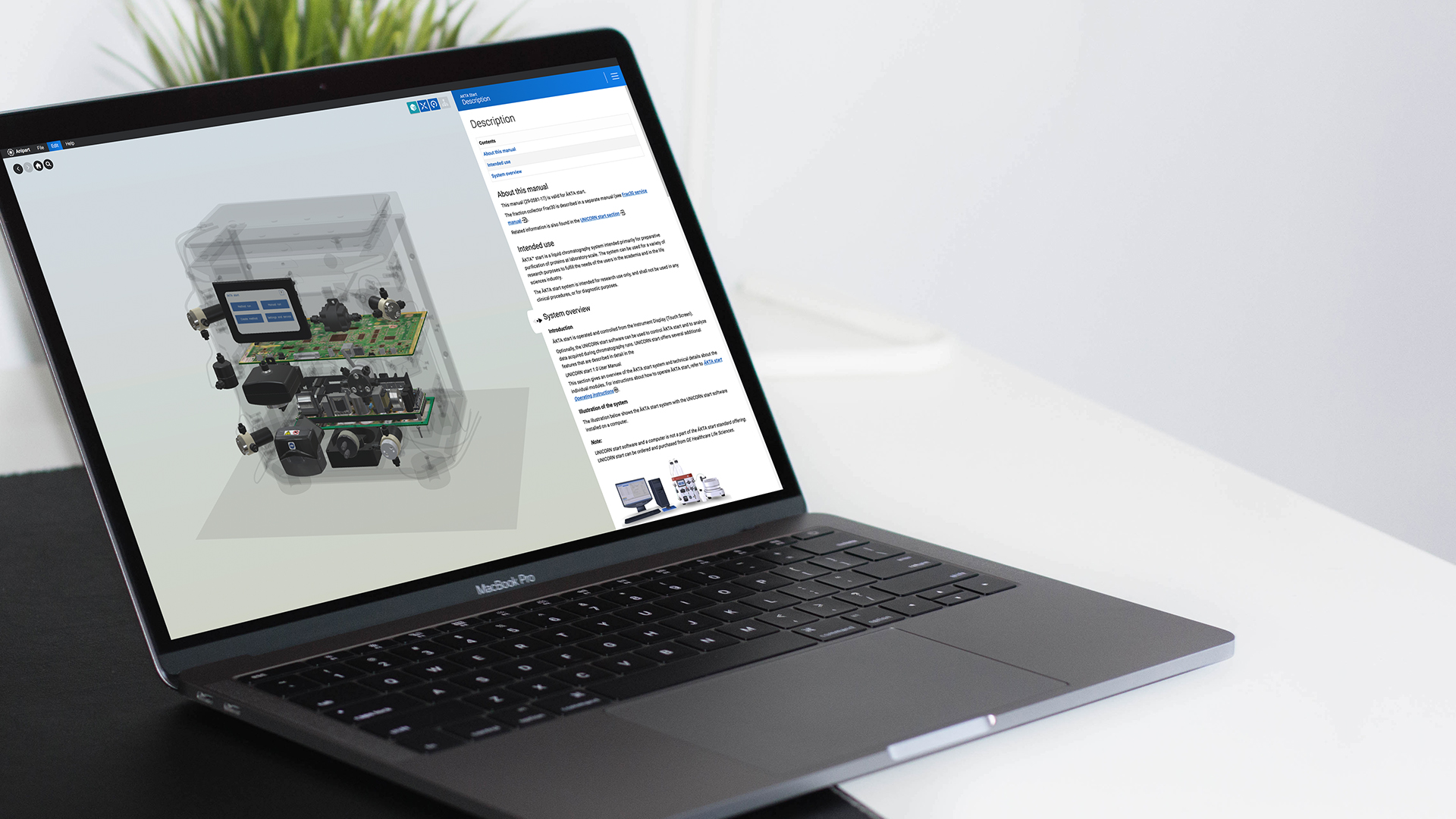
Spare parts
Select a part in 3D or in the list, see the part number and add it to the cart.
Rather than searching through 2D drawings, technicians click on the part itself. Right part, first time.
New: Anipart Connect
Let the manual build itself.
Many manufacturers hold vast amounts of product information in their CAD and PLM systems, yet still spend a lot of time creating and updating spare parts catalogs and service manuals by hand. Anipart Connect automates large parts of that work.
Animech works with new technology and builds automated processes that take product data from PLM, PDM and PIM systems to create and maintain up-to-date material.
CADPLMPDMPIMProduct data
↓
Anipart Connect
↓
Manual per configurationManual per serial numberUpdated when data changes
Use the data you have
Content is generated from existing CAD, PLM and product data.
Stay up to date
When products and components change, the information behind the manual can be updated without rebuilding it from scratch.
Match the product
Manuals can be adapted to product configurations and, when the right data exists, to specific serial numbers.
What is possible depends on your data, systems and scope. We define it together before implementation.
Who it is for
Built for manufacturers with a large aftermarket.
Anipart suits manufacturers of complex products with many components, many variants and a substantial aftermarket. It is most relevant to aftermarket, service, spare parts and technical documentation teams.
Already have a digital catalog? Anipart Connect can still help by automating how the content behind it is produced and updated.
- Less manual work on technical documentation
- Spare parts and service information that is easier to keep current
- A better customer experience and more efficient service
- A clearer path to the right part, which supports spare parts sales
Go deeper
See it applied across the aftermarket.
Common questions
Do we need CAD to get started?
CAD is the best starting point, since Anipart uses the geometry to build structure and exploded views. Existing 3D files and product data can also be assessed in an initial analysis.
What data formats can you use?
Product and parts data can be brought in as JSON, Excel or text, among other formats.
Does it run in the browser?
Yes. Anipart runs on any device with a browser.
Does Anipart work offline or on premise?
Yes. Anipart runs in the browser, but it does not depend on the internet. You can run it in the cloud, on premise on your own servers, or offline, for example in a workshop, on board a vessel or at a customer site without a connection. Your product data can stay inside your own environment.
What is the difference between Studio and Connect?
Studio is the tool we build manuals with. Connect automates producing and updating the content from your existing data.
Can it show only the parts that fit a specific machine?
When the right configuration or serial number data exists, yes.
Talk to us
See how your product could become a manual.
We walk through your product, your data and how a first pilot could look, and come back with a clear next step.
- Live in the browser, no preparation needed
- Bring a product and we show it in 3D
- You leave with a clear next step
Prefer to pick a time?
We use your details to respond to your request and keep them for up to 24 months after our last contact. Read more in our privacy policy.