Buyer’s guide
How to choose3D spare parts catalog software.
Choosing a 3D spare parts catalog means looking beyond the demo. This guide helps you compare how solutions use your existing data, keep parts information up to date and support technicians in the field.
Last reviewed November 2026. Written by Animech, the company behind Anipart. We explain the main approaches, what to ask vendors and when Anipart may be a suitable choice.
Compare manually maintained catalogs and 3D software platforms.
Use the same checklist with every vendor, including Animech.
Understand when Anipart suits your needs and when another approach may be enough.
The short version
Plan for the work of keeping your catalog up to date.
Start with your existing data
Reusing your CAD models, bill of materials and product data can reduce manual catalog maintenance. Ask how much preparation is needed initially and what must be updated when a product changes.
Ask to see a product update
A polished demo shows the user experience. To understand the ongoing workload, ask the vendor to take a changed part from the source data through to the published catalog.
Test real service conditions
Check that technicians can identify the correct variant, access the information they need and order the right part. Test offline access if they work in workshops, on vessels or at sites with limited connectivity.
From identification to order
Make it easy to find and order the right part.
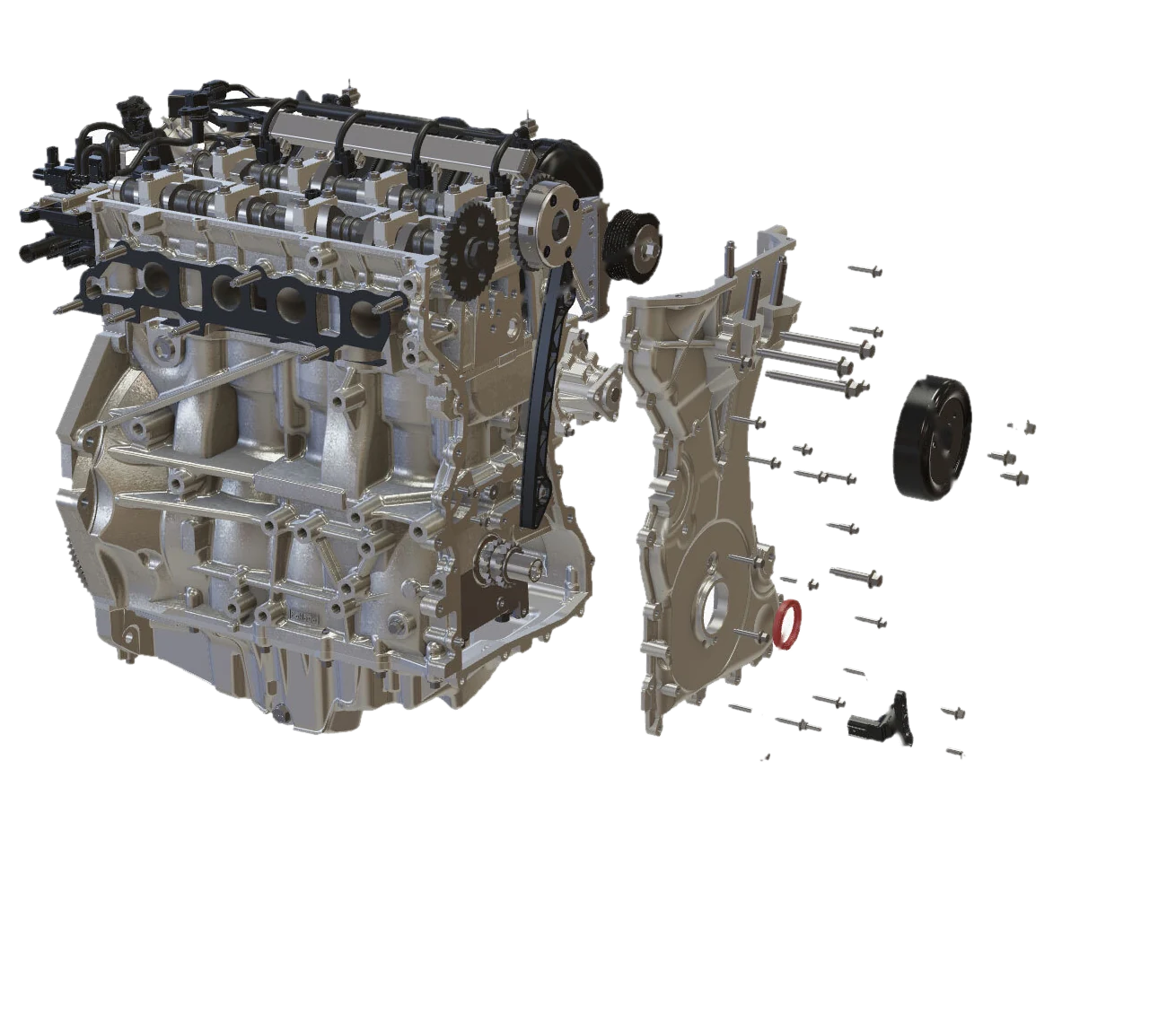
Use a familiar product to assess the complete process. These four areas help you understand how each solution supports the person identifying and ordering a replacement part.
- The dataHow does the catalog use your CAD models and bill of materials, and what needs manual preparation?
- The exploded viewHow are exploded views created, and how much work does each new product or revision require?
- The variantCan the technician confirm that this part fits the exact product variant they are servicing?
- The orderCan the user move from the selected part to pricing and ordering without entering the part number again?
 1234
Approaches
Four approaches to spare parts catalogs.
These categories provide a starting point for your comparison. Some solutions combine several approaches, so assess the workflow and capabilities of each product against your requirements.
Manually maintained catalogs
Illustrations, exploded views and parts lists prepared for each product and updated manually, often published as PDFs or through an existing catalog system.
You have a small product range, infrequent changes and a team available to maintain the documentation.
Product changes require corresponding documentation updates. Include this ongoing workload in your cost assessment.
PLM and technical publishing suites
Tools for creating and publishing technical documentation within, or alongside, your product lifecycle management (PLM) environment.
Your organisation already uses the suite and has an established documentation team and workflow.
Check which other systems are required, who will create the content and how much training they will need.
Example: Cortona3D RapidAuthor
3D asset and commerce platforms
Platforms for managing and distributing 3D content, with catalog or commerce capabilities that vary by solution.
You want to manage 3D content centrally for sales, marketing and aftermarket services.
Check how the platform handles assembly structures, product variants and bills of materials alongside visual content.
Example: VNTANA
Dedicated 3D catalog platforms
Platforms focused on spare parts identification and catalog management, using 3D models and linked parts information.
You need to support customers, dealers and technicians with parts identification and ordering.
Compare how each solution creates exploded views, manages variants and supports offline use. Test these capabilities with your own product data.
Examples: Anipart, DRVEN, Partful, Service Qube, Documoto
Descriptions reflect each company’s public material in November 2026. Capabilities change, so confirm current details with the vendor. Animech makes Anipart.
The checklist
Seven questions to ask any vendor.
Where does the data come from?
Start with the CAD models, bills of materials and product information you already maintain. Find out how the catalog connects to your PLM, product data management (PDM) or product information management (PIM) systems.
Ask the vendor to showSupported file formats, available integrations and any data preparation your team must do.
How are exploded views created?
Exploded views may be created manually, prepared in an authoring tool or generated from 3D geometry. The method affects the work required for each product and revision.
Ask the vendor to showA demonstration using your own product, including any preparation needed to produce the exploded view.
How does a revision reach the catalog?
An outdated catalog can lead to incorrect orders and extra support requests. Understand how engineering changes become available to catalog users.
Ask the vendor to showEach update step, who is responsible and how replaced or discontinued parts are handled.
How does it handle product variants?
Users need to know which parts fit the product they are servicing. Check how the catalog distinguishes between models, configurations and relevant revisions.
Ask the vendor to showHow compatibility information is maintained and how users select the correct product variant.
Where can the catalog be used?
Your deployment needs may include cloud hosting, your own servers or offline access. Test the catalog under the connectivity conditions your service teams actually face.
Ask the vendor to showAvailable deployment options, what works offline and how offline content is updated.
How does it support different users?
Customers, dealers and technicians may need different information and permissions. Check whether the catalog can serve each group from a shared source of product data.
Ask the vendor to showUser roles, access controls and how content is managed across different audiences.
How do users place an order?
Once users identify a part, they need a clear route to ordering it. Transferring the selected part directly to an ordering system can reduce manual entry and errors.
Ask the vendor to showIntegration with your ERP or online store, how pricing is retrieved and how the ordering process will be tested.
Take the checklist with you
The seven questions on printable pages, with room for notes and a grid for comparing three vendors.
A revision, step by step
What happens when a part changes.
When engineering updates a part, the catalog needs to reflect that change. Compare the manual steps with a workflow that generates catalog content from updated source data.
Maintained by hand
Repeated at every revision- A part changes in CAD
- The documentation team receives the change
- The exploded view is updated
- The parts list is edited
- The catalog is republished
Generated from your data
Anipart Connect- A part changes in CAD or PLM
- Updated source data is imported
- The catalog is regenerated and published
These workflows are illustrative. The steps, integrations and approval process depend on your systems and implementation.
At a glance
How the approaches compare.
Use this overview to identify what to investigate. Actual capabilities and maintenance workflows vary by product and implementation; assess each vendor using the checklist above.
| Manually maintained catalogs | PLM and publishing suites | 3D asset and commerce platforms | Dedicated 3D catalog platforms | |
|---|---|---|---|---|
| Typical data source | Drawings, illustrations and spreadsheets | PLM structure and an authoring tool | 3D files managed in a content platform | CAD, bill of materials and parts data |
| Exploded views | Drawn per product | Authored or partly automated | Confirm how assemblies are handled | May be generated from 3D geometry; confirm the workflow |
| Handling product changes | Manual rework | Updated inside the suite | Re-import and republish | Re-import, or automated from PDM and PLM data |
| Best fit | Few products, stable designs | Organisations standardised on the suite | One 3D hub for sales, marketing and aftermarket | Parts identification and ordering for customers, dealers and technicians |
| Main risk | The cost of keeping it current | Dependence on the suite | Support for assembly structures and variants | Data preparation, update workflow and integration requirements |
Anipart
Is Anipart right for your business?
Anipart links your spare parts information to an interactive 3D model. Users can select a component visually to find its part details, even if they do not know the part number. Exploded views are generated from the geometry, numbered and linked to the parts list.
A good fit if
- You have CAD models and a parts list or bill of materials for your products.
- Customers, dealers and technicians all need to find and order parts.
- You need cloud, on-premises or offline access to your catalog.
- You want to use data from your PDM, PLM or PIM systems to maintain catalog content.
Consider another approach if
- You have no CAD or suitable 3D data and do not plan to create it. The additional preparation may outweigh the benefits.
- You need a static PDF catalog for occasional use.
- You need product visuals for marketing only, with no link to parts and ordering.
- Your existing documentation suite already meets your parts catalog requirements.
First step
Test it on your own product.
Start with a pilot using one of your products and your own CAD models and parts data. Evaluate the catalog experience and the work involved before deciding on a wider rollout. Anipart is available as a standalone licence, with implementation support available.
Common questions
What is 3D spare parts catalog software?
It links an interactive 3D model to spare parts information, helping users identify components visually and find the correct part details. Pricing and ordering capabilities depend on the solution and its integrations.
How is a 3D catalog different from a PDF or 2D catalog?
A 3D catalog lets users rotate the model, explore assemblies and select components to see linked parts information. PDF and 2D catalogs usually rely on fixed illustrations and parts lists. The work needed to create and update either format depends on the publishing tools and source data.
Do we need CAD to get started?
CAD models provide a strong starting point for Anipart because the geometry is used to create exploded views and link components to parts information. We can assess your existing 3D files and product data to establish what preparation is needed.
Can a 3D catalog work offline?
Yes. Anipart supports offline use as well as cloud and on-premises deployment. When evaluating any solution, confirm which functions work offline, how content is updated and which integrations require a connection.
How do we keep the catalog up to date?
Anipart Connect generates and updates catalog content from CAD, PLM and product data. The update workflow depends on your source systems and implementation. Ask to see a complete revision process, including any manual checks and publishing steps.
How long does a pilot take?
A pilot using one product and your own data typically takes about four weeks. Timing depends on the scope and the readiness of your source data.
Which vendors offer 3D spare parts catalogs?
Several. In the dedicated category, for example, Anipart, DRVEN, Partful, Service Qube and Documoto. VNTANA approaches it from 3D asset management, and Cortona3D from technical publishing. Check each vendor’s current capabilities against the seven questions above.
See how Anipart could work for your products.
Tell us about your products, parts data and service workflow. We will demonstrate Anipart, discuss what a pilot would involve and help you define the next step.
- Join a live browser-based demonstration
- Discuss your product data and catalog requirements
- Agree on a practical next step
Prefer to pick a time?
We use your details to respond to your request and keep them for up to 24 months after our last contact. Read more in our privacy policy.