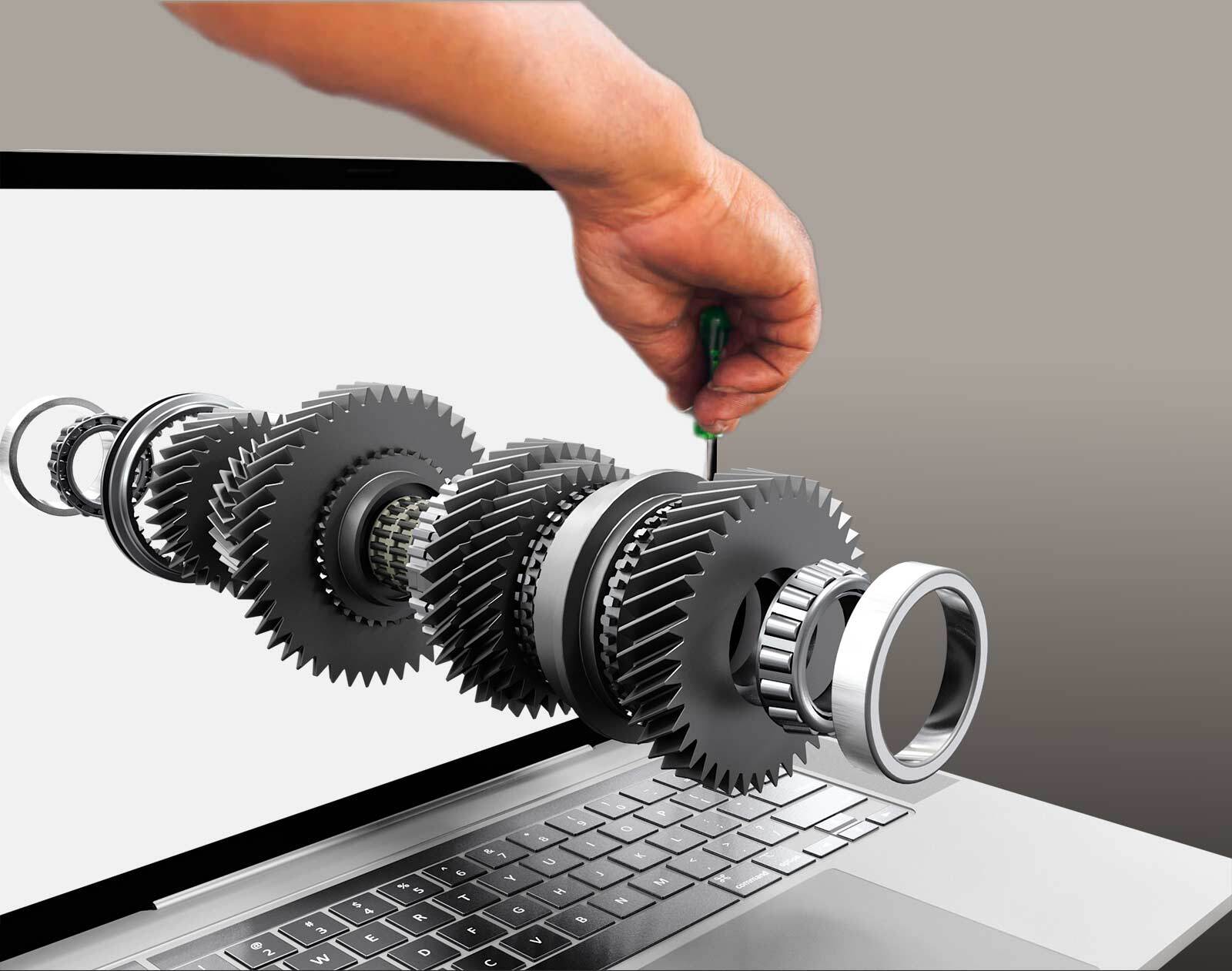
Most industrial companies already own the best raw material for 3D visualization: their CAD data. The challenge is that CAD is made for engineers. It is heavy, detailed and hard to share with a salesperson, a distributor or a service technician.
3D visualization turns that engineering data into images, film and interactive experiences that other people can use. Done well, one model supports sales, marketing, aftermarket and training, instead of every team ordering its own visuals.
What is 3D visualization for industrial products?
3D visualization is the process of turning a 3D model into something people can see and understand: a still image, a film or an interactive view in the browser. It covers 3D modeling, materials, lighting and rendering. For industrial products the starting point is usually CAD, and the goal is to explain, sell or service a product that is complex, configurable or not yet built. If you want the basics first, start with what 3D visualization is.

Why industrial products are hard to visualize
A product photo works for a jacket. It does not work for a pump with hundreds of variants, a machine that is built to order or a product that does not exist yet.
- Too many variants. You cannot photograph every combination of size, option and material.
- The product is not built yet. Quotes and design reviews happen before there is anything to photograph.
- CAD is too heavy and too technical. Sales teams, partners and customers cannot work with engineering files.
- The buyer needs to understand function. What is inside, what fits and what to order matters as much as how it looks.
From CAD to visual: the process
The steps are similar whatever the product.
1. Prepare the CAD data
Engineering models contain far more detail than a visual needs. The model is cleaned, simplified and structured so that parts, assemblies and variants can be handled separately.
2. Add materials and lighting
Metal, plastic, paint and rubber get realistic materials, and the lighting is set up to suit the product. This is what makes a model look like a product and not like a drawing.
3. Choose the output
Stills for brochures and web, film for campaigns and trade shows, or real-time 3D for anything the user should control. The three are described below.
4. Connect to product data
This is the step that turns a good-looking visual into a business tool. When the model is linked to variants, rules, part numbers and prices, the visual can show exactly what is being sold or serviced.
5. Publish where people work
In a configurator on the web, in a sales tool, in a spare parts catalog, on a screen in a showroom or in AR on a phone.
Automating the process from PLM, PDM and PIM
Producing a visual once is the easy part. The hard part is keeping it right when the product changes. Every new revision, variant or part number means another round of manual work, and the visuals slowly fall behind the product data.
Animech is leaning forward on this. We work with new technology and are building automated processes that take product data from PLM, PDM and PIM systems and use it to create and maintain up-to-date 3D material. The goal is that visuals follow the product, instead of lagging behind it.
Anipart Connect
Anipart Connect is our new technology for automating the creation of content for Anipart, such as interactive 3D spare parts catalogs and service manuals, from your existing CAD and PLM data. Material that used to be built by hand for each product can be generated from data you already have.
- Faster to create. Content is generated from existing product data instead of being built manually for every product.
- Easier to keep current. When the underlying data changes, the material can be updated from the same source.
- One source of truth. Visuals, part numbers and product information come from the same systems, so they match.
- Scales across the range. The same process can be applied to more products without the work growing at the same pace.
Three types of output
Still images
Best for catalogs, product pages, brochures and quotes. They load fast and are easy to reuse, but the viewer cannot explore the product.
Film and animation
Best for explaining how a product works, for launches and for trade shows. Exploded views and cutaways show what a photo never can.
Real-time interactive 3D
The viewer rotates, configures and opens up the product in the browser. This is what Animech builds with Aniconfigurator and Anipart. It fits best when the product has many variants or when users need to find a specific part.
These are not competing choices. When everything is produced from the same model, you get stills, films and interactive views from one source.
Where industrial companies use it
Sales and quoting
Customers and sales teams configure a product in 3D and see the result at once, while rules make sure the combination is valid. Linked to Visual CPQ, the configuration becomes a price and a quote.
Aftermarket and service
Spare parts catalogs, service manuals and training can be built from the same CAD model. Technicians and customers find the right part by pointing at it. Read more about the interactive spare parts catalog.
Marketing
Images and film for campaigns, product pages and trade shows can be produced from the model without a photo shoot. See 3D marketing and 3D advertising.
Product development
Design reviews, internal alignment and early customer feedback, before anything is manufactured.
Common mistakes
- Visualizing from raw CAD without preparation. The result is slow and heavy on the web.
- Building a separate model for every channel. It doubles the work and the versions drift apart.
- Keeping the visual separate from product data, so it cannot answer what to order.
- Ignoring performance. Real-time 3D in the browser runs on WebGL and has to work on ordinary laptops and phones, not only on a powerful workstation.
How to get started
Start small. Pick one product family and one use, for example a configurator for your best-selling range or a spare parts view for a single machine. Check that the CAD data and product data are in good enough shape, build it, and measure the effect before you scale. A pilot of this kind typically takes about four weeks. For a view on budget, read what 3D visualization costs.
Frequently asked questions
What is the difference between 3D visualization and 3D rendering?
Rendering is one step: turning a 3D model into an image or film. 3D visualization is the whole process, including modeling, materials, lighting and the choice of output. Read more in what is 3D rendering.
Can we use our existing CAD files?
Usually yes. CAD files are the normal starting point, but they need to be prepared, simplified and structured before they work well in a visual, especially on the web.
Does 3D visualization have to be interactive?
No. Stills and film are often enough for marketing. Interactive 3D pays off when the product has many variants, or when users need to explore, configure or find parts themselves.
How do we keep visuals up to date when the product changes?
Produce everything from one model that is linked to your product data. When the model or the data is updated, the images, films and interactive views can follow. Animech is also automating this from PLM, PDM and PIM systems with Anipart Connect.
Turn your CAD data into 3D that sells and services.
Animech builds browser-based 3D configurators, Visual CPQ and interactive aftermarket solutions from your existing product data. Show us your most complex product.